Reading Pens for Low Vision & Seniors: Assistive Audio Readers for Books, Mail & Labels
Short answer: Reading pens for seniors and low vision readers use optical character recognition to scan printed books, mail, medication labels, and recipes, reading them aloud through built-in speakers or headphones. Standalone pens like Scanmarker Pro work without a phone or computer, and IRISPen Reader 8 is listed as fully offline.
Key takeaways
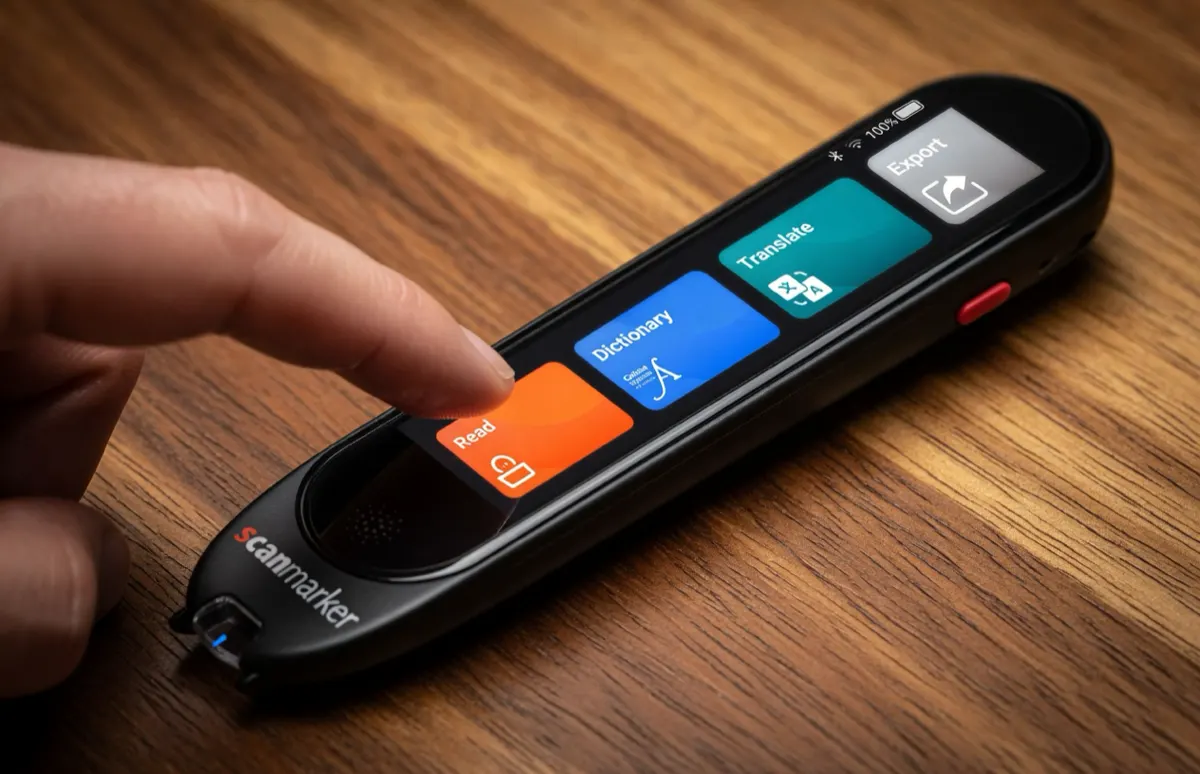
- A reading pen for low vision is a handheld scanner that uses optical character recognition (OCR) to read printed text aloud, so a person can hear mail, labels, recipes and books instead of straining to see them.
- Standalone pens such as Scanmarker Max, Scanmarker Pro and IRISPen Reader 8 need no phone, app or Wi-Fi, which suits readers who find touchscreens and setup frustrating.
- A pen reads printed text only. It cannot reliably read handwriting, and it reads one line at a time, so it is not a full replacement for a magnifier or a screen reader.
- Always double-check medication labels and dosage instructions with a pharmacist or doctor. A pen can misread a word, so do not rely on it alone for health decisions.
- Readers with severe vision loss may find a camera reader such as the OrCam Read 3 or another low vision aid easier to aim. A low vision specialist can advise.
Restoring Reading Independence for Aging Eyes & Low Vision
Age-related visual changes—including macular degeneration (AMD), glaucoma, diabetic retinopathy, and dense cataracts—impact millions of older adults worldwide. While magnifying glasses and large-print books provide early relief, severe central vision loss eventually makes visual reading exhausting and painful.
Handheld audio reading pens bridge this gap by converting printed ink into clear spoken language. For seniors who cherish reading personal mail, utility bills, cooking recipes, prescription bottle directions, and favorite novels, a reading pen restores personal privacy and daily independence without forcing them to ask family members for assistance.
Who can a reading pen help?
A reading pen can help adults whose sight makes print tiring to read, including those with age-related eye conditions, and also readers who prefer to listen. It may also suit people who have both low vision and dyslexia. Our guide to the reading pen for dyslexia covers that overlap.
A pen is an aid, not a treatment. It does not change eyesight. Talk to an eye doctor or a low vision specialist about the right mix of tools, which may include magnifiers, lighting, large-print materials and audio. If you are new to the idea, what is a pen scanner? explains the technology in plain language.
Why Standalone Pens Excel Over Smartphones & Desktop CCTV Magnifiers
Many elderly individuals feel overwhelmed by modern smartphones, touchscreens, software updates, and complex assistive computer software. Furthermore, traditional desktop CCTV video magnifiers are bulky, cost thousands of dollars, and remain anchored to a desk.
Standalone reading pens (such as the Scanmarker Max and IRISPen Reader 8) provide an exceptionally accessible alternative:
1. Zero Computer or Phone Requirement: Operates entirely independently straight out of the box with no pairing, no apps, and no Wi-Fi setup.
2. Tactile Physical Controls: High-contrast screens, distinct physical power buttons, and intuitive gliding motion make operation easy to learn.
3. Instant Audio Gratification: Simply press the tip to paper, glide across the line, and hear clear human-sounding speech immediately.
The table below compares a reading pen with other common tools. The best answer is often a mix, such as a pen for mail and labels and a magnifier for short glances.
| Tool | Good for | Main limit |
|---|---|---|
| Standalone reading pen | Mail, labels, recipes and paperbacks, one line at a time, with no setup | Printed text only; needs a steady glide along the line |
| Hand magnifier | Quick glances at small print | Still needs useful vision; tiring for long reading |
| Desktop video magnifier (CCTV) | Long reading at a desk, handwriting and photos | Bulky, expensive, not portable |
| Smartphone app | Whole pages, text on screens | Touchscreen, app updates and steps to scan |
| Audiobook or screen reader | Whole books and digital text | Does not read paper mail or labels |
For a deeper look at phones versus pens, see pen scanner vs. phone.
Daily Low Vision Applications: Mail, Prescriptions, Menus & Books
Seniors and low-vision readers employ scanning pens across critical everyday reading scenarios:
Private Mail & Financial Documents: Review bank statements, pension letters, utility bills, and confidential medical notices with total privacy.
Prescription Medication Instructions: Scan pharmacy prescription labels, dosage frequencies, and warning advisories with crystal-clear audio playback.
Restaurant Menus & Recipes: Carry a lightweight 60-gram pen in a purse or pocket to read printed menus and cookbook instructions.
Physical Book & Newspaper Reading: Enjoy reading newspapers, magazines, and paperbacks by listening to natural text-to-speech narration through comfortable headphones.
How do I read a medication label with a reading pen?
A pen can read the printed words on a prescription label aloud, but you should always confirm the details with your pharmacist or doctor. Pens can misread a character, especially on small, curved or glossy bottles.
- Hold the bottle on a flat, steady surface in good light.
- Scan one line at a time, starting at the left edge.
- Listen for the medicine name, dose and how often to take it.
- Repeat any line that sounds odd.
- If anything is unclear, ask the pharmacist to read it out or provide large-print or audio labels.
Other everyday uses
Pens are also handy for appliance instructions, food packaging, bank letters, forms, and pages in a favorite paperback. Keep in mind that a pen reads printed text only. It cannot reliably read handwritten letters or cards.
Hardware Feature Comparison: Low-Vision & Senior Considerations
Evaluate key senior-friendly features when selecting an assistive reading pen:
| Device Model | Display Contrast | Audio Output | Battery Life | Senior Ergonomic Score |
|---|---|---|---|---|
| Scanmarker Max | Touchscreen | Loud built-in speaker + 3.5mm jack | About 16 hours (catalogue) | Outstanding — simple touchscreen, offline autonomy |
| C-Pen Reader 3 | 2.3-inch touchscreen | Internal speaker + 3.5mm jack | 8+ hours (catalogue) | Good — touchscreen with simple menus |
| Scanmarker Pro | Color touchscreen | Built-in speaker and earplug jack | See the product page | Good — standalone, no phone or tablet needed |
| IRISPen Reader 8 | Color touchscreen | Built-in speaker / headset | Rechargeable, fully offline | Best for seniors who want no Wi-Fi or setup |
How to read this table
The table comes from the original guide and shows the traits that matter most to many senior readers: how clear the display is, how loud the audio is, how long the battery lasts and how easy the pen is to operate. Specifications change as models are updated, so check each product page for the latest details. For example, our catalogue lists the C-Pen Reader 3 with a 2.3 inch touchscreen and the Scanmarker Max with a 16 hour battery.
Scanmarker Pro, Scanmarker Max and IRISPen Reader 8 are standalone, so they work with no phone or laptop. The C-Pen Reader 3 is also standalone. Use our pen comparison tool to line up display, battery and price band side by side.
Ergonomic Accommodations: Audio Speed & Arthritis-Friendly Grips
To optimize comfort and comprehension for older readers, consider these ergonomic adjustments:
Adjust Speech Cadence: In the pen’s audio menu, adjust the text-to-speech speed down to 0.7x or 0.8x of normal speaking rate. Slower audio cadence significantly boosts cognitive comprehension and word retention for individuals with auditory processing delays.
Use Wired 3.5mm Headphones: Lightweight over-ear headphones or hearing-aid compatible audio cables prevent ambient room noise from interfering with speech clarity.
Ergonomic Pen Grips: For individuals with arthritis or mild hand tremors, soft slip-on foam pen grips increase diameter and reduce grip tension.
Other comfort ideas: set the volume before you start, rest your forearm on the table while you glide the pen, and take short breaks. If a pen feels heavy, check the weight on the product page before buying. A light pen of about 60 grams, like the one described above, is easier on the hand.
How Do I Set Up a Reading Pen for Low Vision?
Ask a family member, friend or caregiver to help with the first setup, then keep the pen in a fixed spot. Once it is configured, daily use needs only a press and a glide.
- Charge the pen fully before first use.
- Turn it on and choose the reading language.
- Set the volume to a comfortable level and slow the speaking speed.
- Plug in headphones or a hearing-aid audio cable if you use one.
- Practice on a large, clear printed line such as a newspaper headline.
- Move on to smaller print and mail once the motion feels natural.
Tips for scanning when you cannot see the line well
- Rest the book or letter on a flat table, and use good, even light with no glare.
- Use a line guide or a bold ruler under the line. Some models come with one in the box, including the Scanmarker Pro and Scanmarker Max.
- Start at the left edge of the text, glide at a steady pace and lift at the end of the line.
- Scan one line at a time, and repeat if the audio sounds cut off.
If scans keep failing, try our pen scanner troubleshooting guide.
How Do I Choose a Reading Pen for Low Vision or Seniors?
Choose a standalone pen with a clear, high-contrast display, loud adjustable audio, a headphone jack and simple controls. Then check weight, battery and price band, and make sure the pen works offline if Wi-Fi is not available at home.
- Standalone operation, so there is no phone to pair.
- A clear screen and readable menus.
- Adjustable volume and speaking speed.
- A 3.5mm jack or Bluetooth for headphones, and for hearing-aid cables where needed.
- A battery that lasts a day of normal use.
- A light body that is comfortable for arthritic or shaky hands.
Who each pen is for
- IRISPen Reader 8: readers who want a fully offline pen, in the $100–199 price band in our catalogue.
- Scanmarker Pro: readers who want a standalone pen with a dictionary, in the $200–399 band.
- Scanmarker Max: readers who want a long battery life and a touchscreen, also in the $200–399 band.
- C-Pen Reader 3: readers who want a newer standalone pen with a built-in recorder, in the $400+ band.
Who should skip a reading pen?
A reading pen may not suit readers who cannot see the text well enough to place the pen on a line, who mostly need to read handwriting, or who need whole pages read at once. In those cases, a camera reader such as the OrCam Read 3, which reads print, screens and handwriting, may be easier, though it is in the $400+ price band. A low vision specialist or occupational therapist can advise on what fits.
Common Mistakes When Buying a Reading Pen for a Senior
The most common mistake is buying a pen that needs a phone or app when the reader wants something simple. Other mistakes are easy to avoid with a little preparation.
- Choosing an app-required pen for someone who does not use a smartphone.
- Not trying the scanning motion before buying, especially with hand tremors or arthritis.
- Expecting a pen to read handwriting or whole pages in one go.
- Relying on a pen alone for medication details.
- Forgetting to charge the pen or to set the volume and speed.
Read our pen scanner buying guide in the resources below and see the reading pen category for more options.
Can Insurance or Medicare Help Pay for a Reading Pen?
Coverage varies, and many reading pens are not covered. Some programs, charities or vocational services may help with assistive technology, but rules differ by country, state and case. Our guide to insurance and Medicaid coverage for scanning pens explains what to ask, and a social worker or low vision service can point to local help.
Low Vision & Accessibility Network Resources
Discover additional low-vision tools, assistive audio reviews, and dyslexia resources across our network:
- ScannerReader.com — In-depth reviews of standalone read-aloud pens and audio readers for adults and seniors.
- Pen for Dyslexia — Assistive reading technology, audio decoding mechanics, and accessibility guidance.
- Reading Pens Overview — Learn how text-to-speech technology supports readers of all ages and abilities.
- C-Pen Reading Guide — Comprehensive hardware analysis of the C-Pen Reader 3.
- Pen Scanner Buying Guide — How to choose the right assistive reading hardware.
Reading pens for seniors on Amazon
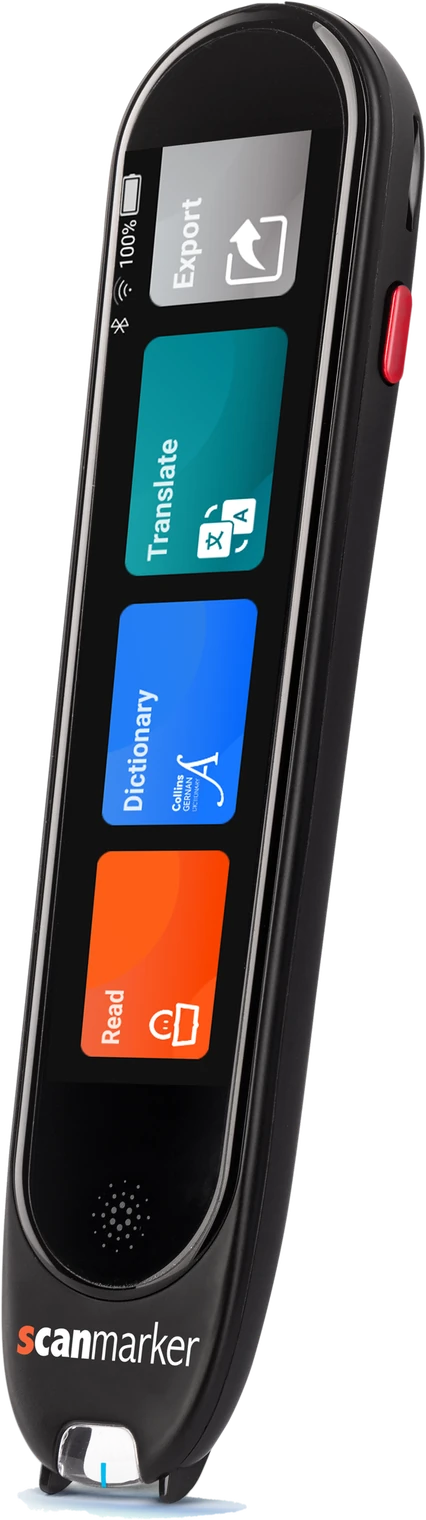 Scanmarker ProStandalone touchscreenView details →
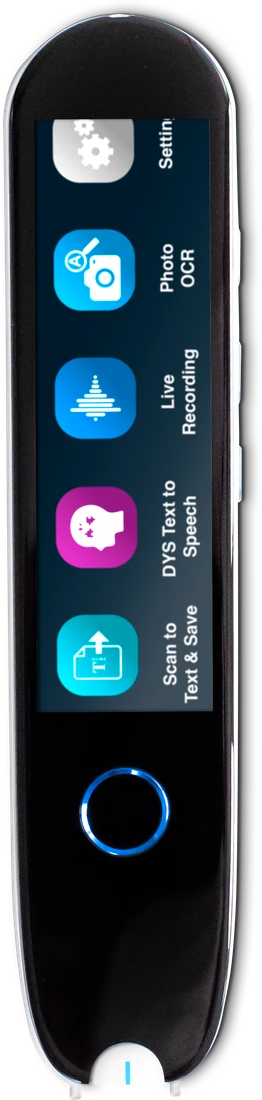 IRISPen Reader 8Standalone touchscreenView details →
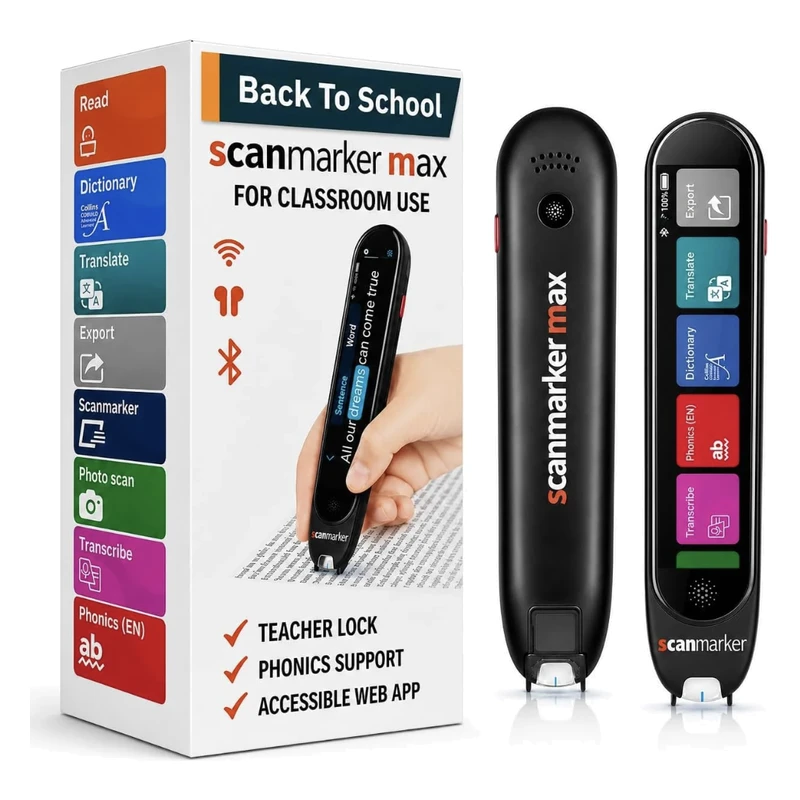 Scanmarker MaxStandalone touchscreenView details →
Frequently asked questions
Can a reading pen read handwritten letters or greeting cards?
No. Modern consumer pen scanners are engineered specifically for printed machine-typeset text (books, newspapers, printed labels, mail). They cannot reliably decode cursive or handwritten notes.
Does a senior need a computer or smartphone to use these pens?
Not with standalone models like the Scanmarker Max or IRISPen Reader 8. These devices contain their own optical processors, speakers, batteries, and screens, operating completely independently.
Can the speech audio volume and speed be adjusted?
Yes. All leading models allow users to easily increase speaker volume and decrease speech playback speed to a slower, more deliberate cadence.
Can a reading pen connect directly to hearing aids?
If hearing aids support standard 3.5mm audio input cables or telecoil neckloops, they can plug directly into the pen’s headphone jack for direct, crystal-clear audio transmission.
What is the best reading pen for low vision?
There is no single best pen. For seniors who want no setup, standalone models such as IRISPen Reader 8, Scanmarker Pro or Scanmarker Max are good starting points, because they work offline with no phone. Choose by display clarity, volume, headphone support, battery life and price band, then try the scanning motion if you can.
Can a reading pen read a prescription label?
Yes, a reading pen can read printed text on a prescription label, one line at a time. Pens can misread small, curved or glossy labels, so always confirm the medicine name, dose and instructions with your pharmacist or doctor. Do not rely on a pen alone for health decisions.
Does a reading pen help with macular degeneration or glaucoma?
A reading pen does not treat eye conditions. It can make printed text easier to access by reading it aloud. People with central vision loss still need to place the pen on a line, so it works best with some usable vision or a guide. Ask an eye doctor or low vision specialist what suits you.
Do I need Wi-Fi or a smartphone to use a reading pen?
Not with a standalone pen. Models such as Scanmarker Max and IRISPen Reader 8 have their own battery, speaker and screen, and they read aloud offline. Pens that depend on an app, such as Scanmarker Air, need a phone or laptop, so they are a poor fit for readers who want something simple.
How much does a reading pen for seniors cost?
In our catalogue, standalone reading pens fall into price bands of $100–199 (such as IRISPen Reader 8), $200–399 (such as Scanmarker Pro and Scanmarker Max) and $400+ (such as C-Pen Reader 3). Prices change, so check the product page for the current figure, and ask about return terms before you buy.