Pen Scanner Buying Guide: What Features Actually Matter?
Short answer: Start with the job: scanning into a laptop (connected pen like Scanmarker Air), reading aloud without a computer (standalone pen like Scanmarker Pro), working fully offline (IRISPen Reader 8) or exams (Scanmarker Max with Exam Mode). Then check offline languages, screen and battery.
Key takeaways
- A pen scanner is a handheld device that reads printed text line by line, and the three main types are reading pens, OCR pens (digital highlighters) and translator pens.
- Decide the job first: typing text into a document, hearing text read aloud, translating, or sitting an exam. The job decides the type of pen.
- Connected pens such as Scanmarker Air need a phone or computer. Standalone pens read aloud on their own.
- If exams are involved, buy a pen your exam centre has approved. Having an exam mode on the box is not enough on its own.
- Judge the total package: software, accessories, battery and support, not the sticker price alone.
How do you choose a pen scanner?
Choose a pen scanner by the job you need done, not by the longest feature list. Write down what you will scan, where you will use the pen, and who will use it, then work through the ten features below in order of how much they matter to that job.
Pen scanners fall into three broad groups. A reading pen scans a line and reads it aloud. An OCR pen, also called a digital highlighter, scans text and types it into an app on your computer or phone. A translator pen scans a word or line and shows or speaks a translation. Our introduction to pen scanners explains each type, and reading pen vs OCR pen shows which one fits you.
Most buyers find that two or three of the ten features decide the purchase. A student who wants quotes in a Word file cares about OCR and connectivity. A parent buying for a child with dyslexia cares about text-to-speech, standalone use and, later, exams. Treat the rest as tie-breakers.
1. OCR
If your main goal is digitizing text, OCR quality should be your first consideration.
OCR (optical character recognition) is the software step that turns the picture of a printed line into real, editable letters. A pen with weak OCR makes you fix every second sentence, which cancels the time saving.
What to check
- Whether the pen recognizes your language and your kind of text (textbook, novel, invoice, table).
- Whether recognition happens on the pen itself (offline) or in an app or in the cloud, which affects speed and privacy.
- How the maker handles small print, glossy paper and curved book gutters. Our troubleshooting guide explains why these cause errors.
- Whether you can correct text before it is saved or spoken.
Good OCR still depends on technique. A steady glide at the right angle matters as much as the pen. If you want to understand what happens inside the device, read how pen scanning works.
Catalogue fit: Scanmarker Air (140+ languages via its app) and PenPower WorldPenScan Wi-Fi (41-language OCR) are connected OCR pens. C-Pen TS1 (G2) is a wired desk pen that supports very small fonts. Browse more in the OCR pen category.
2. Text-to-speech
If you need reading support, look at voice quality, pronunciation, supported languages, and playback controls.
Text-to-speech (TTS) means the pen or app speaks the scanned text aloud. For many readers, especially people with dyslexia, low vision or a second language, this is the feature that matters most.
What to check
- Voice quality: listen to a sample if you can. Natural voices are easier to follow for long passages.
- Speed control: you should be able to slow the voice down and speed it up.
- Language coverage: confirm the language you read most is available offline, not only online.
- Where the sound comes out: built-in speaker, headphone jack or USB-C earphones, and whether earphones come in the box.
- Whether speech comes from the pen (standalone) or from your phone or computer (connected pens usually stream text and let the host device speak).
Catalogue fit: Scanmarker Pro and C-Pen Reader 3 read aloud on the pen. Reader 3 offers five offline reading languages (English, French, Spanish, Italian, German). For reader-focused picks, see our best reading pens for dyslexia and the reading pen category.
3. Translation
Check whether translation works offline, online, or both.
Translation almost always needs an internet connection for the widest language list. Offline translation, where it exists, covers fewer languages. This difference matters for travel and for classrooms with restricted Wi-Fi.
What to check
- The exact language pairs you need, in both directions.
- Whether translation is shown on screen, spoken aloud, or both.
- Whether the pen needs Wi-Fi, a phone hotspot or an app for translation.
- Whether you want translation at all. Reading pens built for dyslexia often leave it out on purpose.
Catalogue fit: C-Pen Lingo 3 is a hybrid reader and translator with 40+ translation languages. NEWYES Scan Reader Pen 4 / 4 Pro lists 112 translation languages. Budget translator pens in the Under $100 band vary in quality, so check recent reviews. See translation pens, translation pens for language learners and the translation category.
4. Dictionary
Useful for language learners and readers who need definitions.
A built-in dictionary lets you scan a single word and see or hear its meaning without leaving the page. It saves a lot of switching between a book and a phone.
What to check
- Which dictionary is included, and whether it is a learner, children's or general adult dictionary.
- Whether the dictionary works offline.
- Whether the dictionary is switched off in exam builds. Exam pens often leave it out by design.
Catalogue fit: Scanmarker Pro includes a dictionary. C-Pen Reader 2 includes the Cambridge dictionary. RocketPen Reader includes an Oxford children's dictionary. In contrast, Scanmarker PAL and C-Pen Exam Reader 2 have no dictionary.
5. Connectivity
Understand whether the device requires USB, Bluetooth, Wi-Fi, a smartphone, a computer, or an internet connection.
Connectivity decides whether a pen works on its own or only with another device. In our catalogue, each pen is either standalone or app-required.
| Type | How it works | Examples |
|---|---|---|
| Connected (app-required) | Pairs by Bluetooth, USB or Wi-Fi and sends text to a phone or computer | Scanmarker Air, C-Pen Connect, Scanmarker Reader |
| Wired desk pen | Plugs into a computer by USB and needs desktop software | C-Pen TS1 (G2) |
| Standalone | Has its own screen, speaker and battery, so no phone or computer is needed | Scanmarker Pro, C-Pen Reader 3 |
Before you buy a connected pen, confirm your operating system is supported (Windows, Mac, Chromebook, iOS, Android). School Chromebooks and locked work laptops sometimes block new drivers or apps, so ask your IT team first.
6. Standalone operation
If you want to scan without a phone or computer, make sure the device genuinely supports standalone use — not every "pen scanner" does.
A genuinely standalone pen has an onboard screen, a speaker or headphone output, and enough processing power to do OCR and speech by itself. A connected pen is useful, but it stops working the moment your phone or laptop is out of reach.
Who should choose standalone, and who can skip it
- Choose standalone if the reader is a child, an older adult or a student who should not need a laptop, if you read in a library or classroom without a computer, or if you want fewer distractions.
- Skip standalone if your only goal is typing quotes into documents. A cheaper connected pen does that well.
Catalogue fit: IRISPen Reader 8 works fully offline with no cloud. Scanmarker Max, C-Pen Reader 2 and OrCam Read 3 are standalone too. For a longer look at the trade-off between a pen and a phone, see pen scanner vs phone.
7. Battery
Check expected working time and charging method.
Look for a battery that lasts a full school or work day, and a pen that charges over USB-C, which most people already have cables for. Real-world use is usually shorter than the number on the box, because screens, speakers and Wi-Fi drain power.
- Scanmarker Max lists a 16-hour battery.
- C-Pen Reader 3 lists 8+ hours.
- IRISPen Reader 8 lists 6-8 hours of use.
- NEWYES Scan Reader Pen 3 Pro lists 4-5 hours, which is short for long sessions.
If the pen will be shared in a classroom, ask how long it takes to recharge and whether a spare charging cable is included.
8. Ergonomics
The device should be comfortable to hold and easy to guide across a line.
A pen you dislike holding will stay in the drawer. Weight, grip, tip shape and how clearly you can see the line you are scanning all affect comfort and accuracy.
What to check
- Weight and size: C-Pen Reader 3 weighs about 72 g, and PenPower WorldPenScan Go about 77 g.
- Left-handed support: confirm the pen has a left-hand setting if the user is left-handed.
- A line guide or ruler, which helps younger readers and people who lose their place.
- Screen size and readability, especially for older adults and low-vision readers. See reading pens for low vision and seniors.
Scanmarker Pro ships with a line guide and Scanmarker Max includes a line guide in the box.
9. Text compatibility
Check supported languages, font sizes, printed material, and character types.
Text compatibility is about what the pen can actually read. Different pens handle different scripts, font sizes and paper types, so match the pen to your real reading material.
What to check
- Languages and scripts: for example, IRISPen Reader 8 lists 48 offline OCR languages, while RocketPen Reader scans English and French.
- Font size: standard pens are tuned for typical book sizes (see our paper and font tips). C-Pen TS1 (G2) supports very small fonts.
- Screens and low-contrast paper: some pens cannot read screens or faint print. C-Pen Exam Reader 2 cannot scan screens or low-contrast paper, while OrCam Read 3 reads print, screens and handwriting.
- Special content: numbers, barcodes and tables. Some connected pens include barcode support.
10. Price
Compare the complete package rather than the hardware price alone — software requirements, accessories, and connectivity all factor into total cost. Connected pens like Scanmarker Air usually cost less than standalone touchscreen pens.
We group pens into price bands rather than quoting every price, because prices and stock change. The bands are Under $100, $100-199, $200-399 and $400+. Exact, current prices are on each product page.
| Price band | Typical pens | What you usually get |
|---|---|---|
| Under $100 | GoBudsGo Translation Pen Scanner, Riokko Language Translator Scanner Pen | Entry-level travel translators. Check support and firmware before buying. |
| $100-199 | Scanmarker Air, IRISPen Reader 8, PenPower WorldPenScan Go | Connected OCR pens and affordable standalone readers or translators. |
| $200-399 | Scanmarker Pro, Scanmarker Max, C-Pen Exam Reader 2 | Mature standalone reading pens, some with exam modes. |
| $400+ | C-Pen Reader 3, C-Pen Lingo 3, OrCam Read 3 | Premium screens, storage, extra features or specialist hardware. |
What the total cost can include
- Software or subscriptions that unlock features (check the product page for any).
- Earphones, a case or a line guide if they are not in the box.
- A second pen or an exam-approved pen if one device cannot do both jobs.
- Funding: schools, insurers or employers sometimes help pay. See insurance and Medicaid coverage and pen scanners for schools.
See every recommended model side by side on the pen scanner comparison, then check live prices:
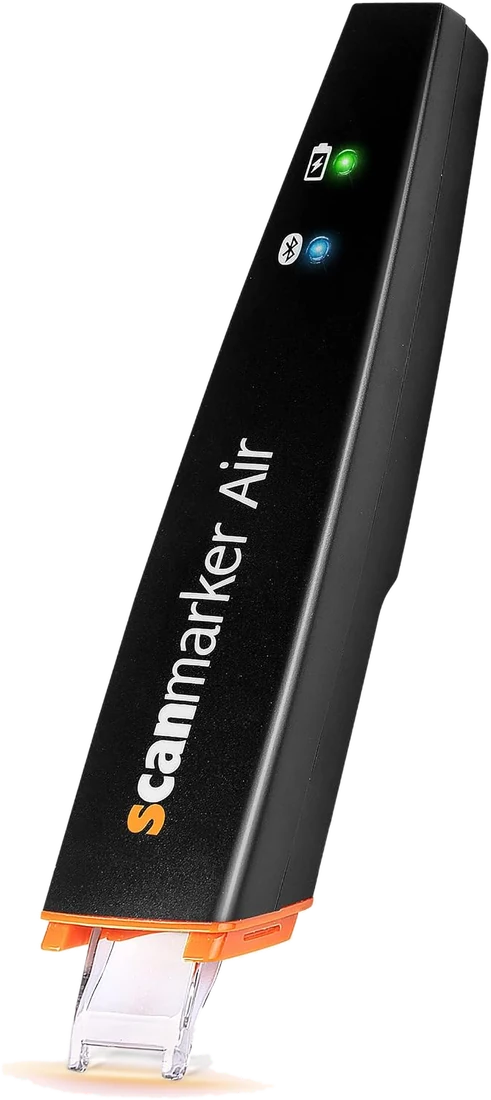 Scanmarker AirConnected (Bluetooth)View details →
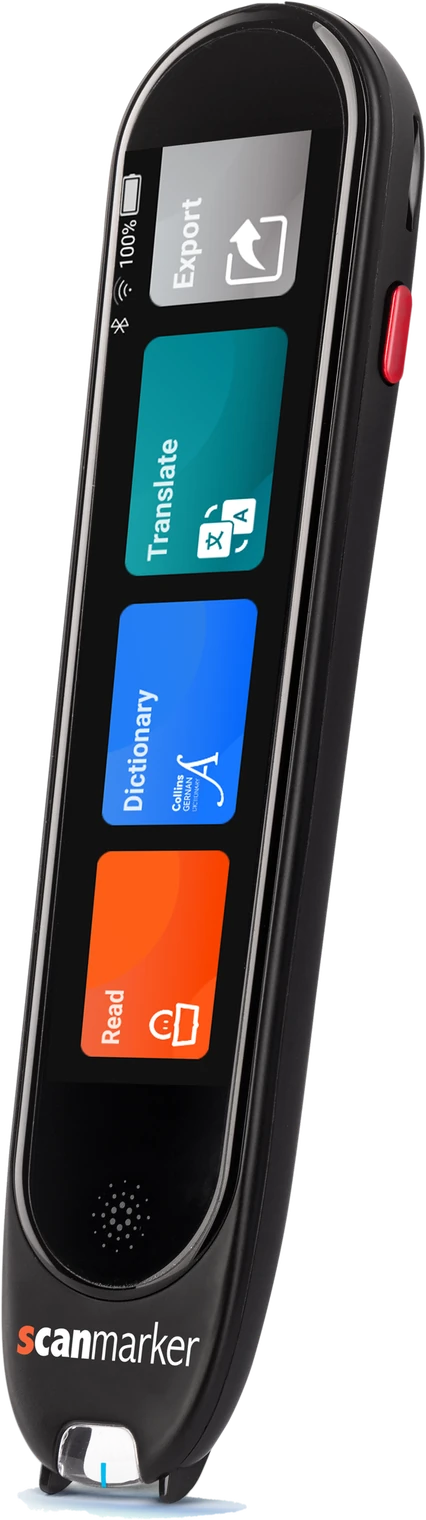 Scanmarker ProStandalone touchscreenView details →
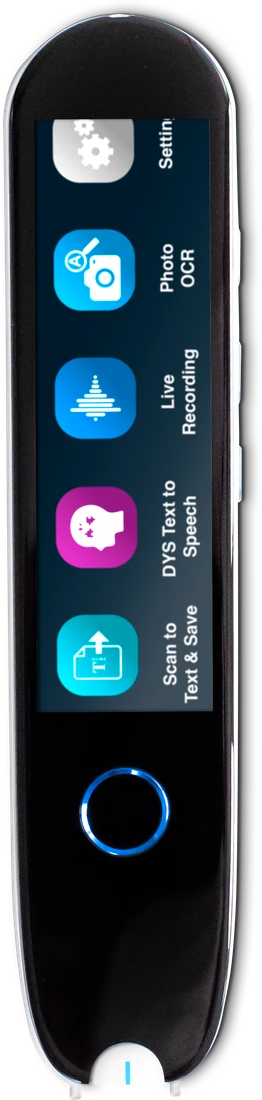 IRISPen Reader 8Standalone touchscreenView details →
Which pen scanner is best for my use case?
The best pen scanner depends on the use case: connected OCR pens suit typing into documents, standalone reading pens suit reading aloud, and exam-approved pens suit tests. Use this table as a starting point, then confirm details on the product page.
| Use case | Pen type to look for | Catalogue pens to check | Watch out for |
|---|---|---|---|
| Scan quotes into Word or Google Docs | Connected OCR pen | Scanmarker Air, C-Pen Connect | Needs a phone or computer |
| Read aloud without a computer | Standalone reading pen | Scanmarker Pro, C-Pen Reader 3 | Higher price |
| Fully offline, privacy first | Offline standalone pen | IRISPen Reader 8, C-Pen Secure Reader 2 | Little or no translation |
| Exams and tests | Exam-approved or exam-mode pen | Scanmarker Max, C-Pen Exam Reader 2 | Confirm approval with the exam centre |
| Dyslexia support at home and school | Standalone reading pen with offline TTS | C-Pen Reader 2, RocketPen Reader | Check the school's rules |
| Language learning and travel | Translator pen | C-Pen Lingo 3, PenPower WorldPenScan Go | Many features need internet |
| Low vision or severe print disability | Camera reader with a stand | OrCam Read 3 | Premium price |
| Desk data entry | Wired or connected OCR pen | C-Pen TS1 (G2), PenPower WorldPenScan X | Not for reading aloud on its own |
To compare specs side by side, use the interactive pen comparison tool, or browse all pen scanners. You can also read our best OCR pen scanners for 2026 roundup.
Pen scanner pre-purchase checklist
Before you buy any pen scanner, run through the checklist below. If you cannot tick an item, find the answer on the product page or ask the seller.
- Write down the main job: type text, read aloud, translate, or take exams.
- Decide who will use it, including their age, reading level and handedness.
- Choose standalone or connected, and confirm your phone or computer is supported.
- Confirm your main language is supported, and whether it works offline.
- Check whether text-to-speech, translation and dictionary are included or left out.
- If exams are involved, ask the exam centre which models are accepted before paying.
- Check battery life and the charging port against a full day of use.
- Look at weight, grip, screen size and any line guide.
- Add up the full cost, including accessories and any subscription.
- Check the return policy and warranty, and read recent reviews from people with similar needs.
What are the most common pen scanner buying mistakes?
The most common mistakes are buying a connected pen when a standalone one was needed, assuming an exam mode is automatically approved, and choosing on price alone.
- Assuming every pen works alone. Connected pens like Scanmarker Reader need a host device.
- Assuming translation works offline. Most translation needs internet, so check the specs.
- Trusting "exam mode" blindly. Rules differ by exam board, country and school. Read our guide to exam-approved reading pens and ask your exam centre.
- Ignoring the learning curve. Scanning takes a few tries to get right, as our accuracy guide explains.
- Buying the most advanced pen. A simpler pen that the user actually likes beats a feature-heavy pen that confuses them.
Our review method explains how we judge pens, including what we do and do not claim.
Who should buy a pen scanner, and who should skip it?
A pen scanner is worth buying if you regularly scan single lines or words from printed text, and worth skipping if you only need occasional whole-page captures. In that second case, your phone camera may be enough, as covered in pen scanner vs phone.
- Good fit: students, researchers, people with dyslexia or low vision, language learners, and professionals who copy text from paper. See pen scanners for students and scanning pens for work.
- Probably skip: people who scan whole pages, handwritten notes or screens most of the time, and anyone who will only use the pen once or twice a year.
Frequently asked questions
What should I look for in a pen scanner?
OCR accuracy, scanning speed, text-to-speech quality, translation and dictionary support, supported languages, offline functionality, connectivity, battery life, ergonomics, and price.
Which type of pen scanner is best for beginners?
Beginners usually do best with a standalone reading pen if they want read-aloud, and a connected OCR pen if they only want text typed into documents. Pick the type that matches your one main job, then compare models within that type.
Do I need a standalone pen scanner or a connected one?
Choose standalone if you want to scan and listen without a phone or computer, for example in class or at the library. Choose a connected pen if you mainly want scanned text typed into Word or Google Docs and you always have a laptop or phone nearby.
Does a pen scanner work offline?
Some do. Pens like IRISPen Reader 8 work fully offline, and several standalone reading pens read aloud offline in a handful of languages. Translation and extra languages usually need internet, so check the product page for the exact languages you need.
Can I use a pen scanner in an exam?
Only if your exam centre or school approves it. Some pens offer an exam mode with features such as the dictionary and storage switched off, but approval rules differ by exam board and country. Ask the centre which models are accepted before you buy.
How much should I spend on a pen scanner?
Connected OCR pens usually sit in the $100-199 band, while standalone reading pens often sit in the $200-399 band and premium models cost more. Budget translator pens exist under $100. Spend for the features you will use, such as offline reading or exam mode, not for extras.
What is the difference between a reading pen and a translator pen?
A reading pen scans a line and reads it aloud in the same language, often offline, which helps readers with dyslexia or low vision. A translator pen scans text and gives you a translation in another language, which usually needs internet. Some pens do both.
Do pen scanners work for dyslexia?
Many readers with dyslexia find reading pens helpful because the pen reads printed text aloud and cuts decoding effort. Results vary by person. A school specialist or clinician can advise, and our best reading pens for dyslexia guide lists suitable models.