Exam-Approved Reading Pens: Testing Accommodations, JCQ Rules & Lock Mode Compliance
Short answer: Exam-approved reading pens are restricted text-to-speech devices that read test questions aloud without internet, storage, or translation. Exam centers require approved hardware (such as C-Pen Exam Reader 2 or Scanmarker Max with password-protected Exam Mode) under JCQ, SAT, or ACT testing accommodations.
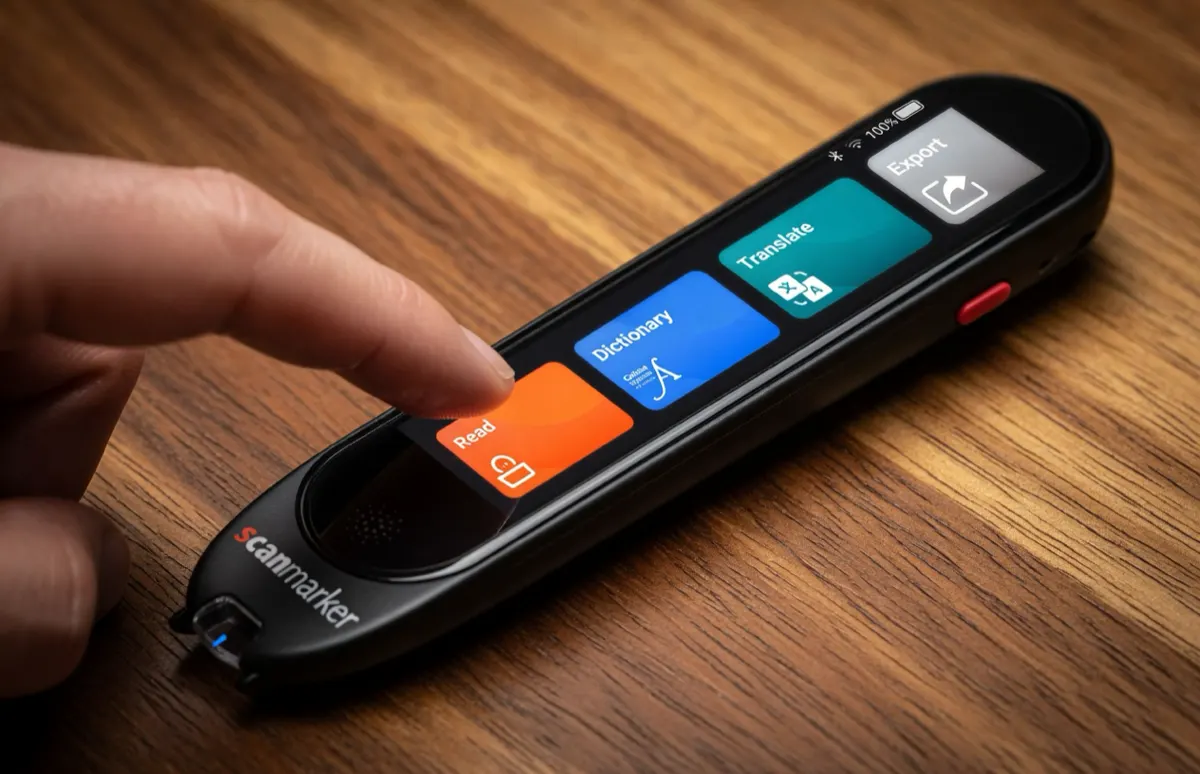
Key takeaways: exam-approved reading pens
- An exam reading pen reads printed questions aloud without a dictionary, translation, storage or wireless connection, so it cannot be used to look up or save answers.
- No pen is automatically allowed. The exam board, exam centre or school decides for each candidate, usually after an application with supporting evidence.
- In our catalog, the C-Pen Exam Reader 2, Scanmarker Max (in exam mode) and OrCam Learn Basic are flagged as exam-approved.
- Everyday study pens such as the C-Pen Reader 3 and RocketPen Reader keep dictionaries and storage active, so they are not exam pens.
- Wired headphones are usually the safe choice. Bluetooth audio is generally not permitted in exam rooms, but confirm with your centre.
- Apply early and practice with the exact pen before exam day.
The Evolution of Testing Accommodations: Replacing Human Readers
For decades, students with documented reading disabilities relied on human adult readers during standardized examinations. While well-intentioned, human readers introduce significant testing variables: varying cadence, inadvertent inflection cues, scheduling headaches for testing centers, and feelings of stigma or anxiety for students.
Exam-approved reading pens represent a transformative upgrade. A handheld scanning pen delivers objective, uninflected text-to-speech playback through wired headphones. The student controls their own pacing, re-reads ambiguous test questions independently, and tests alongside their peers without requiring a separate isolation room.
Who is a reading pen for?
A reading pen is for candidates who would otherwise need a human reader because print is a barrier, most often because of dyslexia or a similar reading difficulty. Eligibility is decided by the school or exam centre using evidence of the student's needs and normal way of working, not by the device. Our reading pen for dyslexia guide explains how the technology helps.
A reading pen usually reads question text, not whole-exam help. Tasks that test reading itself may have separate rules, which is why you must check each paper type.
Standardized Testing Compliance Rules: What Is Strictly Prohibited?
National and international testing organizations—including the Joint Council for Qualifications (JCQ) in the UK, the College Board (SAT & AP exams) in the US, ACT Inc., and state department of education assessment boards—maintain strict criteria regarding assistive hardware.
To ensure absolute academic integrity, exam regulations strictly ban the following capabilities in testing environments:
1. Wireless Connectivity: No active Wi-Fi, cellular, or Bluetooth transmission of any kind.
2. Word Dictionaries & Definitions: The pen cannot provide vocabulary definitions, synonyms, or linguistic hints that could compromise reading comprehension questions.
3. Language Translation: The pen cannot translate foreign terms into the student’s native language.
4. Digital Storage & Text Recording: The pen cannot store scanned test passages or retain question text in memory after power-off.
5. Photographic Image Capture: The pen cannot capture full-page camera images or save pictures of test booklets.
Rules differ by board, country and year. The list above is a general summary, not an official rulebook. Always read the current regulations of your exam board and ask your exams officer, SENCo or test coordinator what is allowed for your candidate.
Why do exam boards ban these features?
Exam boards ban these features because each one could give a candidate an unfair advantage or a way to pass information in or out of the exam room. A dictionary could explain a word the paper is testing, and storage could hold copied questions. Wireless links could send them to someone else.
Dedicated Exam Hardware vs. Multi-Mode Software Lockdown
Schools and testing centers generally utilize one of two hardware pathways to satisfy testing regulations:
Dedicated Exam Readers (e.g., C-Pen Exam Reader 2): These devices feature factory-stripped firmware with zero dictionary databases, zero translation engines, and zero internal data logging. Because non-compliant features are physically absent from the hardware, proctor verification is instantaneous.
Software Lockdown Multi-Mode Pens (e.g., Scanmarker Max Exam Mode): These advanced standalone pens operate as full-featured learning pens during daily coursework, but feature a password-protected or PIN-locked "Exam Mode" that locks out dictionaries, translation, and data logging for the duration of the test. Ask the maker how the locked state is shown, so a proctor can check it.
Which reading pens are listed as exam-approved in our catalog?
Three devices in our product catalog carry an exam-approved flag: the C-Pen Exam Reader 2, Scanmarker Max and OrCam Learn Basic. The flag means the manufacturer designed the product to meet exam criteria. It is not a guarantee that your exam board or centre will accept it.
| Pen | Exam flag in our catalog | How it supports exams | Price band |
|---|---|---|---|
| C-Pen Exam Reader 2 | Exam-approved | Dedicated exam model: no Wi-Fi, no storage, no dictionary, built to JCQ criteria | $200 to $399 |
| Scanmarker Max | Exam-approved | PIN-protected exam lock that a teacher or administrator controls | $200 to $399 |
| OrCam Learn Basic | Exam-approved | Pen-sized camera reader with one-button read-aloud | Not listed; UK retailers |
| C-Pen Reader 3 | Not exam-approved | Dictionary and storage stay active, so it suits study, not exams | $400+ |
| C-Pen Secure Reader 2 | Not exam-approved | Built for data-sensitive workplaces and has multiple dictionaries | $200 to $399 |
| RocketPen Reader | Not exam-approved | Everyday model; not built for exams | $200 to $399 |
| Scanmarker Pro | Not exam-approved | Daily reading and translation; use the Max or the UK Pro Exam variant for exams | $200 to $399 |
Many of these devices are standalone, so no phone or app is needed to read aloud. Our reading pens category lists every standalone reader we track. If you are new to the technology, reading pen vs OCR pen explains the difference.
Testing Board Accommodation Guidelines: JCQ, SAT, ACT & State Assessments
The matrix below outlines accommodation protocols across major testing organizations:
| Testing Authority | Approved Assistive Category | Pre-Approval Required? | Approved Device Architecture |
|---|---|---|---|
| JCQ (GCSE & A-Levels) | Computer Reader / Reading Pen | Yes (Form 8 / Normal Way of Working) | Dedicated Exam Pen or Certified Locked Device (No dictionary) |
| College Board (SAT & AP) | Assistive Tech Reading Accommodation | Yes (SSD Online pre-approval) | Standalone offline reading pen with wired headphones |
| ACT Inc. | Standardized Test Reader | Yes (Test Accessibility and Accommodations System) | Offline standalone audio reader with memory disabled |
| US State Assessments | Individualized Reading Accommodation | Yes (Documented in active IEP/504) | Offline reading pen permitted on non-reading comprehension sections |
| International Baccalaureate (IB) | Inclusive Assessment Arrangements | Yes (D1 Request to IB Assessment Centre) | Non-dictionary, non-storage reading pen |
How do you arrange a reading pen as an exam accommodation?
You arrange it through your school or exam centre, not directly with the exam board. The usual path is: show a need, apply for the arrangement, then practice with the approved device. Processes and deadlines vary, so confirm each step locally.
- Speak to the SENCo, exams officer or test coordinator about the student's reading needs.
- Gather evidence of difficulty and of how the student already works in class.
- Ask which pen models the centre accepts, or whether the school lends one.
- Make the application by the stated deadline, using the board's own system.
- Practice with the same pen in mock exams so it becomes part of the normal way of working.
- Keep the approval letter or confirmation and bring it to the exam if asked.
In the US, accommodations for state tests are typically recorded in a student's IEP or 504 plan, and for the SAT, ACT and AP the school usually submits a request on the student's behalf. Check the current College Board and ACT procedures. Our insurance and Medicaid coverage guide covers paying for a pen separately.
A Practical Test-Day Checklist for Exam Pens
To reduce the chance of problems on test day, students, parents and Special Educational Needs Coordinators (SENCos) can run through a simple checklist beforehand. This is a practical suggestion, not an official procedure, so always follow your exam centre's own instructions:
Step 1 — Check the exam setting: Confirm the pen is a dedicated exam model, or that its exam mode is switched on as the manual describes.
Step 2 — Restart if advised: If the maker recommends it, restart the pen or clear its history as the manual describes.
Step 3 — Check the headphones: Use standard wired headphones, and make sure no wireless audio is in use.
Step 4 — Test a sample line: Have the student scan a line from a practice sheet to confirm the volume and playback.
Step 5 — Charge it: Make sure the pen is fully charged, and check the maker's battery figures against the length of the exam.
What should a student do on exam day?
A student should arrive with a charged pen, wired headphones and any approval paperwork, and follow the invigilator's instructions. Do not change settings or try a new pen on the day.
- Switch the pen on before the exam starts, if the invigilator permits.
- Scan one line at a time at a steady pace, keeping the tip flat.
- Re-scan any question that sounds wrong.
- Tell the invigilator at once if the pen fails, so a back-up arrangement can be made.
What are the common mistakes with exam reading pens?
The most common mistake is assuming any assistive pen is allowed in an exam. The other mistakes below are easy to avoid with early planning.
- Applying too late, after the board's deadline has passed.
- Using a study pen with dictionary and storage turned on.
- Never practicing with the exam pen before the real paper.
- Bringing wireless earbuds instead of wired headphones.
- Starting the exam with a low battery.
- Assuming one board's approval applies to another board, country or year.
Who should choose which exam pen, and who should skip it?
- Choose a dedicated exam pen such as the C-Pen Exam Reader 2 if the pen is mainly for exams and you want features absent from the hardware.
- Choose a multi-mode pen such as Scanmarker Max if a school wants one device for daily work and exams, and an administrator can set the lock.
- Skip an exam pen if you mainly need dictionary, translation or note storage. Look at everyday pens or our pen scanner buying guide instead.
- Skip any pen if the exam centre will not approve one, and ask about other accommodations.
Exam Accommodation Resources & Technical Specifications
Consult these official testing guides and verified hardware documentation when preparing assessment accommodations:
- ScannerReader.com — Standalone read-aloud pens and testing accommodation hardware reviews.
- Scanmarker for Schools — Institutional procurement for exam-ready classroom reading pens.
- PenScanner.org — Technical benchmark reports on exam reader optical latency and character accuracy.
- C-Pen Reading Guide — Comprehensive comparison of C-Pen Reader 3 vs. C-Pen Exam Reader 2.
- Pen Scanners for Schools — K-12 classroom deployment, IEP compliance, and grant funding.
Exam-friendly reading pens on Amazon
On Amazon US, the practical exam option is Scanmarker Max with its password-protected Exam Mode. C-Pen Exam Reader 2 is sold through C-Pen resellers and is not listed on Amazon US.
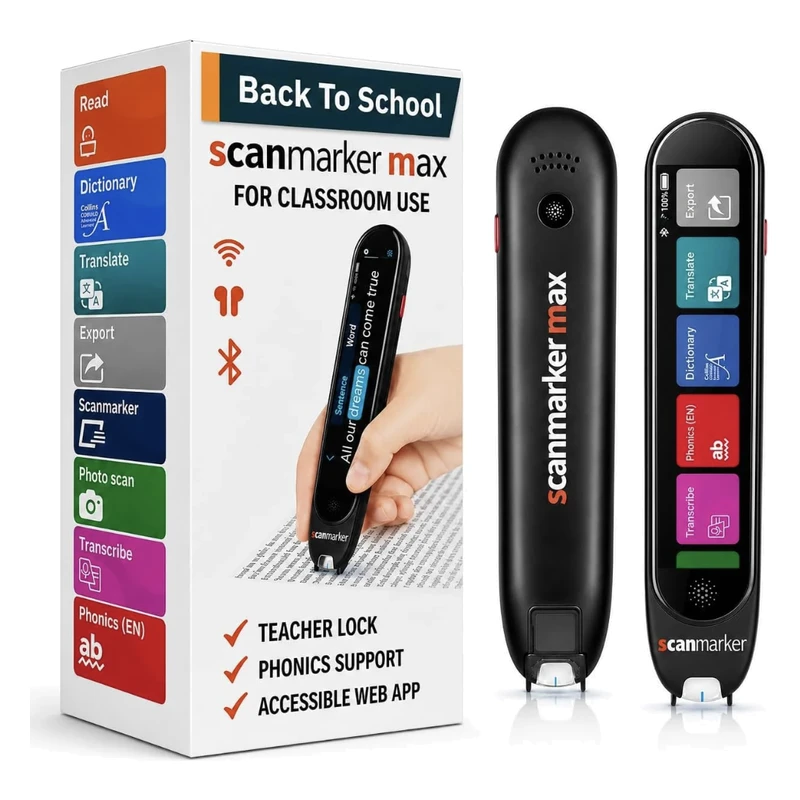 Scanmarker MaxStandalone touchscreenView details →
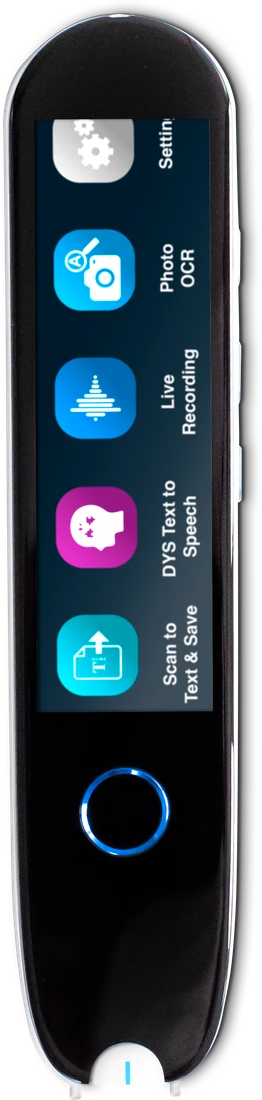 IRISPen Reader 8Standalone touchscreenView details →
OrCam Learn Basic is sold through UK retailers, and a US list price was not found in our data. Compare all options with the pen comparison tool, or see the shop.
Frequently asked questions
Can any reading pen be used on the SAT or ACT exams?
No. Only reading pens that have been pre-approved through College Board SSD or ACT Accommodations and strictly adhere to zero-connectivity, zero-dictionary, and zero-storage rules are permitted in the test room.
What is the difference between a learning pen and an exam pen?
A learning pen includes definitions, syllable breakdowns, voice recording, and bilingual translation to teach vocabulary. An exam pen strictly reads printed text aloud with no definitions, translation, or recording to preserve testing integrity.
Does an exam reading pen store questions scanned from the test paper?
No. Exam pens such as the C-Pen Exam Reader 2 are listed with no data storage, no dictionary and no Wi-Fi, so scanned text is not kept for later. Confirm the details with the maker and your exam centre.
Are wireless Bluetooth headphones allowed with reading pens during exams?
Usually not. Exam rules generally rule out Bluetooth audio in test rooms, so plan on standard wired headphones, and confirm with your exam centre before the day.
Which reading pen is approved for GCSE and A-Level exams?
Pens built to JCQ-style criteria, such as the C-Pen Exam Reader 2, are the usual choice. No pen is approved automatically. Your exam centre decides for each candidate, so confirm with your exams officer before buying.
Is the C-Pen Reader 3 allowed in exams?
Generally no, because the Reader 3 has an active dictionary, translation and storage, which exam rules usually prohibit for a reading pen. It suits study and work. For exams, ask your centre about a dedicated exam model.
Can Scanmarker Max be used in an exam?
Scanmarker Max has a PIN-protected exam lock that an administrator controls. Our catalog flags it as exam-approved. Whether your exam board or centre accepts the locked mode is their decision, so ask them first and test the lock before exam day.
Do I need permission before using a reading pen in an exam?
Yes, in almost every case. Exam centres normally need to approve a reading pen as an access arrangement, often with evidence and before a deadline. Never bring an unapproved pen to an exam, because it could lead to a penalty.
How do I apply for a reading pen as an exam accommodation?
Start with your school's SENCo, exams officer or test coordinator. They gather evidence, check the board's current rules and submit the request. In the US, accommodations usually appear in an IEP or 504 plan, and the school requests them for the SAT, ACT or AP exams.