Pen Scanners for Students: Direct Comparison, Academic Benefits & Buying Guide
Short answer: Best pen scanners for students: Scanmarker Air for scanning quotes into laptop notes, Scanmarker Pro for reading and translating without a laptop, IRISPen Reader 8 for fully offline study, and Scanmarker Max for school use with exam mode.
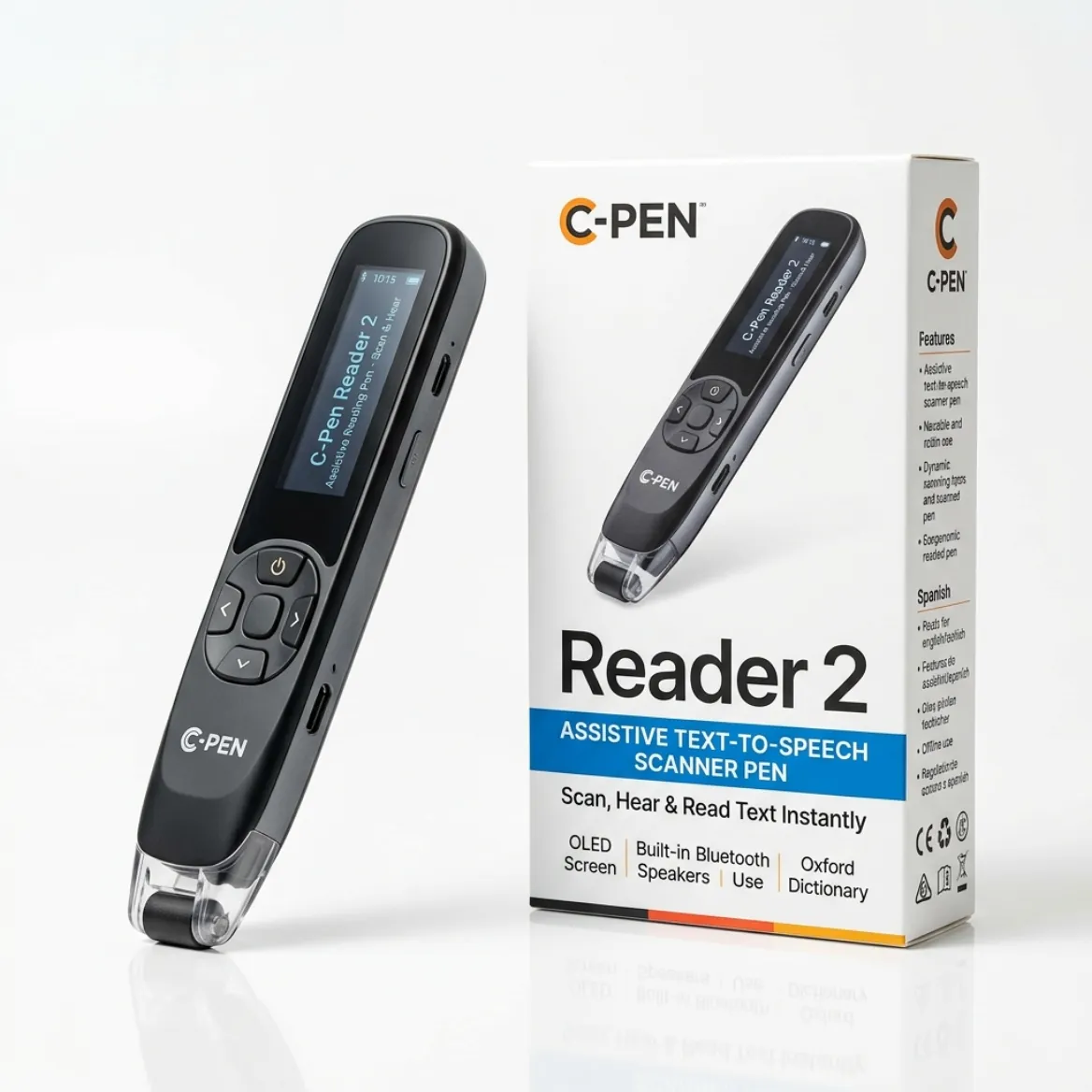
- A pen scanner (reading pen or OCR pen) lets a student digitize printed text by sliding the tip across a line, then type it, hear it read aloud or translate it.
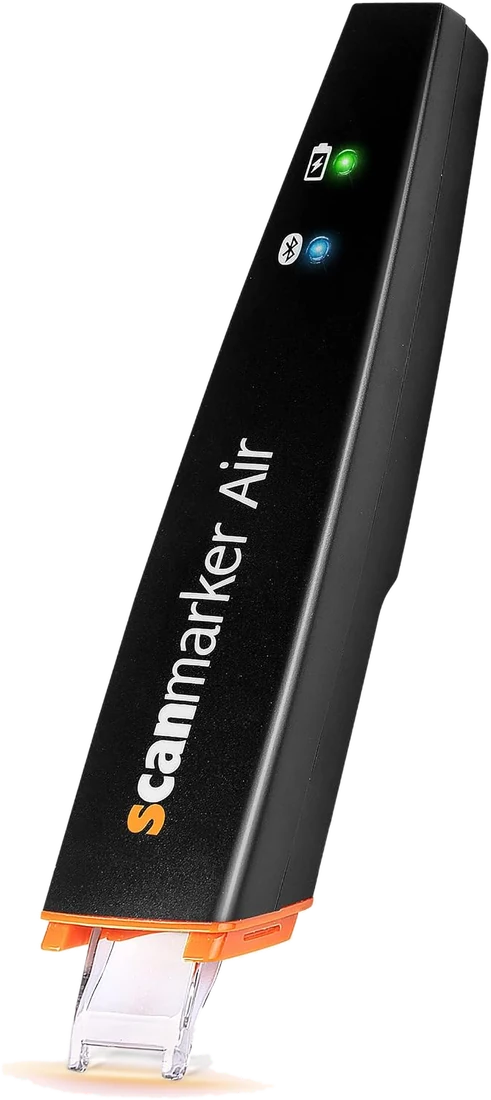
- The Scanmarker Air is a connected pen that types quotes into Word, Google Docs or notes on a laptop or phone.
- Standalone pens such as Scanmarker Pro and IRISPen Reader 8 read and translate without a computer.
- Exam use is never automatic. Only an exam-approved or administrator-locked pen, approved by the exam centre in advance, belongs in the exam room.
- Pens work best on printed textbooks and handouts, not on handwriting, and every scan should be proofread before it goes into an assignment.
How Pen Scanners Transform Student Study Workflows
Pen scanners are portable, high-tech devices that allow students to digitize printed text instantly, read text aloud, and translate languages on the go. By sliding the pen across textbooks or documents, you can automatically capture quotes, definitions, and study notes.
This cuts down significantly on typing fatigue and streamlines literature reviews, research sessions, and homework revision. Whether you are studying in the campus library, writing term papers in Microsoft Word or Google Docs, or reviewing for finals, a scanning pen turns dense paper text into immediate digital assets.
Direct Comparison of Top Pen Scanners for Students
Choosing the right student pen scanner depends on whether you need standalone offline operation, direct Bluetooth typing into active documents, or AI-powered study assistance. Here is how the leading models compare:
| Model | Key features | Connectivity | Best for | Buy |
|---|---|---|---|---|
| Scanmarker Air | Scans printed lines straight into Word, Google Docs or notes apps; read-aloud and 140+ language translation in the Scanmarker app. | Bluetooth to Windows, Mac, iOS, Android | Note-taking and essay research on a laptop | See on Amazon |
| Scanmarker Pro | Standalone touchscreen; reads aloud (50+ languages online, several offline), translates (100+ languages online), Collins English dictionary. | Standalone; Wi-Fi for online languages | Reading and translating without a laptop | See on Amazon |
| Scanmarker AI Pen | Built-in screen, OCR scan reader, text-to-speech and ChatGPT-powered Q&A on scanned text. | Standalone with online AI features | Homework help and revision | See on Amazon |
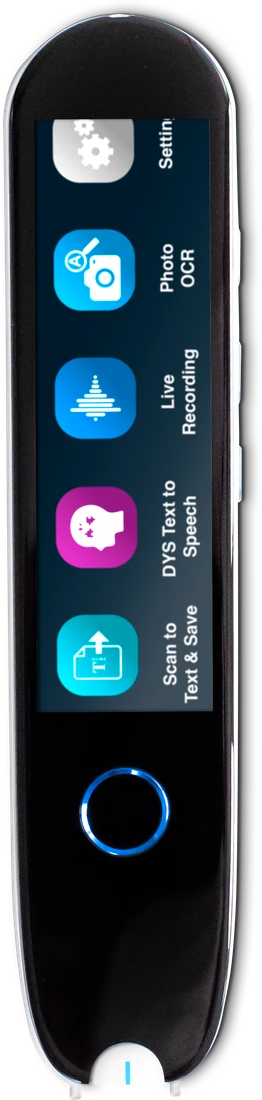
| IRISPen Reader 8 | Fully offline: OCR in 48 languages, read-aloud in 5, color touchscreen, 5 MP camera for photo OCR. | Standalone, no Wi-Fi needed | Offline study and privacy-sensitive settings | See on Amazon |
| RocketPen Reader | Read-aloud plus six decoding aids including spelling and syllabication; scans paper and screens. | Standalone | Younger students building decoding skills | See on Amazon |
Which student pen scanner is for you, and who should skip it?
Choose a connected pen if you write on a laptop and mostly need quotes in your notes. Choose a standalone pen if you want text read aloud or translated without a screen. Skip a pen scanner entirely if most of your reading is already digital, because screen readers and phone apps cover that.
| If you are... | Look at | Skip it if |
|---|---|---|
| A university student writing essays on a laptop | Scanmarker Air (Bluetooth, types into any app) | You want a pen that works with no laptop or phone |
| A student with dyslexia or ADHD who wants read-aloud | Scanmarker Pro or C-Pen Reader 3 | You need a pen cleared for formal exams (see below) |
| A student who needs privacy and offline use | IRISPen Reader 8 (no Wi-Fi needed) | Translation is your main use |
| A student who needs a pen in exams | C-Pen Exam Reader 2 or Scanmarker Max in Exam Mode | Your exam centre has not approved a pen for you |
| A language learner reading foreign texts | A translation pen; see translation pens for language learners | You only read in your first language |
Pen prices vary by model and retailer. In our catalogue the connected pens sit in the $100-199 band, while standalone reading pens run from $100-199 up to $400 and above, so work out which features you will really use before you spend.
Core Benefits for Academic Work
High school and university students face relentless reading volume. Handheld scanners solve four core bottlenecks in modern study routines:
- Efficient Note-Taking: Instead of manually typing out long paragraphs from physical library books or journals, you can slide the pen over the text to drop clean, editable quotes directly into your digital study guides, Google Docs, or Obsidian vaults.
- Assistive Reading & Dyslexia Support: Devices like the C-Pen Reader 3, C-Pen Exam Reader 2, and IRISPen Reader 8 convert text into natural-sounding speech instantly. This drastically reduces reading fatigue and helps students with dyslexia or ADHD better comprehend complex material.
- Language and Translation Modules: For international or multilingual students, scanners like the Scanmarker Air offer real-time translation across dozens of languages, alongside built-in definition lookup features.
- Data Security and Exam Compliance: Models designed with offline limitations — such as the C-Pen Exam Reader 2 or IRISPen Reader 8 — work without Wi-Fi, which is what strict exam rooms usually require. Only pens listed as exam approved, such as the C-Pen Exam Reader 2, are built for exams; IRISPen Reader 8 is not listed as exam approved, so always confirm with your exam centre.
How to Choose: Answers to Common Student Questions
When selecting a scanning pen for academic work, two key questions determine the right hardware:
1. Do you need a pen that works completely offline for exams, or do you want computer/phone integration?
For Exams & Distraction-Free Study: If you need a device permitted inside formal exam halls (such as GCSE, SAT, ACT, or university proctored exams), you need an exam-compliant setup: a dedicated exam pen such as C-Pen Exam Reader 2 (no storage, Wi-Fi or translation), or a pen with an administrator lock such as Scanmarker Max in Exam Mode. Always confirm with your exam centre first.
For Computer & Note-Taking Workflows: If your priority is typing quotes into essays, research papers, or note apps on your laptop, choose a connected Bluetooth pen like the Scanmarker Air or Scanmarker AI Pen. They beam recognized characters straight to your cursor as if typed on a keyboard.
2. Are you primarily using it for text digitization, language translation, or dyslexia/reading support?
For Dyslexia & Reading Independence: Opt for standalone audio reading pens like the Scanmarker Pro, Scanmarker Max or the fully offline IRISPen Reader 8. Their on-board text-to-speech and dictionary lookups let you comprehend dense academic material without needing a screen.
For Fast Text Digitization & Research: The Scanmarker Air types each scanned line straight into Word, Google Docs or a reference manager, which is the fastest way to move quotes from library books into your notes.
For Second-Language & Translation: Devices with 100+ translation languages (like Scanmarker Air in its app, or Scanmarker Pro with offline reading in several languages) allow foreign language students to scan unfamiliar vocabulary and hear authentic native pronunciations immediately.
How do students use a pen scanner step by step?
A student uses a connected pen by pairing it, placing the cursor in a document, and sliding the pen along each line. A standalone pen works by scanning a line and then reading or translating it on its own screen. The steps below cover the connected workflow, which is the most common for essays and revision notes.
- Install the pen's app or desktop software and pair the pen by Bluetooth, or plug in the dongle if it came with one.
- Open your essay, notes app or revision document and click where the text should appear.
- Rest the pen tip flat on the page just before the first word of the line.
- Start the scan as the pen's instructions describe and glide at a steady, even speed to the end of the line.
- Check the typed line against the book and fix any misread letters straight away.
- Add the author, title and page number next to the quote so you can cite it later.
- Write one line of your own beside each quote, explaining what it means in your own words.
For deeper setup help, including Excel and Notion, see how to scan into Google Docs and Word. If scans come out wrong, the pen scanner troubleshooting guide explains pen angle, speed and glare.
Study routines that work with a pen scanner
The best study routines use the pen for capture and your own thinking for understanding. Capturing a line is quick, but remembering it takes effort, so build a short step after each scan.
- Revision flashcards: scan a definition into a spreadsheet or flashcard app, then write the question yourself.
- Literature reviews: scan the key claim from each source into a table with columns for author, page and your comment. Researchers use the same method, described in pen scanners for researchers.
- Vocabulary lists: for science, law or a second language, scan unfamiliar words, then look up or listen to the meaning with a standalone pen.
- Reading aloud for focus: hear a hard paragraph read by a standalone pen, then summarize it from memory.
- Group work: scan a shared reading into a common document so every group member has the same exact wording.
Can students with dyslexia or ADHD use pen scanners?
Yes. Many students with dyslexia or ADHD use reading pens to hear printed text read aloud, which can reduce decoding effort so they can focus on understanding. Individual results vary, and a pen is a support, not a treatment or a replacement for specialist teaching.
Our dedicated guides cover this in depth, including pen scanners for dyslexia and the best reading pens for dyslexia. School staff and families may also want pen scanners for schools, and funding questions are covered in insurance and Medicaid coverage for scanning pens.
Can you take a pen scanner into an exam?
You can only take a pen scanner into an exam if your exam centre approves it in advance as an access arrangement. Most standard reading pens are not allowed because they store text, include a dictionary or can translate.
Exam-approved pens are built or configured to remove those features. In our catalogue, C-Pen Exam Reader 2 and Scanmarker Max are marked exam approved, and so is OrCam Learn Basic. A pen with no Wi-Fi is not automatically acceptable: IRISPen Reader 8 is not listed as exam approved in our catalogue, so ask your exam centre before relying on it in a test. Rules differ by board, country and level, so read exam-approved reading pens and ask your school's exams officer or disability office.
What should students check before buying a pen scanner?
Before buying, check how the pen connects, what it costs, whether your school allows it and what languages it reads. These checks prevent the most common regrets.
- Decide if you need a connected pen (types into documents) or a standalone pen (reads aloud and translates).
- Check that your laptop or phone is supported, especially if you use a Chromebook or managed school device.
- Look at languages: the pen must scan and, if you want it, read aloud the language of your books.
- Ask your school or exam centre about approved models before you buy.
- Check battery life and whether earphones are included for quiet library use.
- Compare prices by band, and ask your school, insurer or disability service whether funding is available.
Browse reading pens and OCR pens, compare options side by side in the comparison tool, or read the pen scanner buying guide. New to all this? Start with what is a pen scanner.
Common mistakes students make with pen scanners
- Buying the wrong type. A connected pen does not read aloud on its own, and a standalone pen does not type into your essay.
- Assuming exam approval. Always get written approval from the exam centre.
- Copying without citing. Scanning a quote does not record its source. Add the citation yourself and follow your school's academic integrity rules.
- Skipping the proofread. Names, numbers and technical terms can be misread.
- Expecting handwriting recognition. Pen scanners are built for printed text.
Explore Student Pen Scanners on Amazon
Top student picks you can buy on Amazon: Scanmarker Air for scanning into laptop notes, IRISPen Reader 8 for fully offline reading, and Scanmarker AI Pen for homework Q&A.
 Scanmarker AirConnected (Bluetooth)View details →
 IRISPen Reader 8Standalone touchscreenView details →Scanmarker AI PenView on Amazon →
Frequently asked questions
Which pen scanner is best for college and university students?
The Scanmarker Air is best for students who want to scan quotes straight into Word or Google Docs on laptops. Scanmarker Pro or the fully offline IRISPen Reader 8 suit students who need standalone text-to-speech without carrying a computer.
Can students use scanning pens during exams?
Only when the exam centre approves it as an access arrangement. That usually means a pen with no storage, dictionary or translation (such as C-Pen Exam Reader 2) or a pen locked by an administrator (such as Scanmarker Max in Exam Mode).
How fast can a student scan text with a pen scanner?
A typical printed line takes about a second to scan and recognize, so a pen is much faster than retyping quotes by hand. Speed depends on the model, font size and how steadily you scan.
Do student pen scanners work on library books and paperbacks?
Yes, for standard textbook print. Lines close to a tight book spine, glossy paper and very small or decorative fonts are harder; flatten the page and scan at a steady pace.
Are pen scanners allowed in school or college classrooms?
Often yes for everyday study, but policies vary by school and teacher. Many schools treat reading pens as assistive technology, especially with a learning support plan. Ask your teacher or disability office first, and keep exam and classroom permissions separate, because exams are stricter.
What is the difference between a reading pen and an OCR pen for students?
A reading pen is standalone and reads printed text aloud, often with a dictionary or translation. An OCR pen or digital highlighter sends scanned text to a computer or phone as typed text. Students who write essays often prefer OCR pens, while students who need read-aloud prefer reading pens.
Can a pen scanner read textbooks to me out loud?
Standalone reading pens such as Scanmarker Pro, C-Pen Reader 3 and IRISPen Reader 8 can read scanned lines aloud through a speaker or earphones. A connected pen like Scanmarker Air relies on your computer or phone for any read-aloud function, so it is not a standalone reader.
Do students need Wi-Fi to use a pen scanner?
Not always. IRISPen Reader 8 works fully offline, and standalone pens such as Scanmarker Pro offer offline reading in several languages and translation online. Wider language lists, and connected pens like Scanmarker Air, generally need an internet connection or a paired device.
Can a pen scanner help with plagiarism or citation?
A pen scanner copies exact wording, so it does not prevent plagiarism and it does not create citations. Always add quotation marks, the author and the page number, and follow your school's academic integrity rules when you use scanned text in assignments.