Pen Scanners for Dyslexia: Best Reading Pens & Text-to-Speech Guide
Short answer: Pen scanners for dyslexia read printed text aloud so the reader can focus on meaning instead of decoding. Leading picks: RocketPen Reader for young readers, Scanmarker Max for school and exam mode, and IRISPen Reader 8 for fully offline reading.
This is the comparison and choosing guide. It helps you decide which kind of reading pen suits a particular reader with dyslexia, and which models to look at first. For how reading pens work, how to set one up, learning routines and use at school or work, read our complete guide to reading pens for dyslexia. For our short hand-built shortlist, see the best reading pens for dyslexia.
Key takeaways
- A reading pen for dyslexia is a handheld scanner with optical character recognition (OCR) and text-to-speech that reads one printed line or word aloud at a time. It supports access to text. It does not treat or cure dyslexia.
- Standalone pens such as the RocketPen Reader, Scanmarker Max, IRISPen Reader 8 and C-Pen Reader 2 work without a phone or laptop. App-required pens such as Scanmarker Air need a computer or phone.
- For exams, look at exam-specific or lockable models such as the C-Pen Exam Reader 2 and Scanmarker Max, and get written approval from the exam centre or school before test day.
- Our catalogue price bands for the pens in this guide run from $100–199 (IRISPen Reader 8, Scanmarker Pal) to $400+ (C-Pen Reader 3). Check the current price on each product page.
- A good decision order is: who will use it, will it be used in exams, does it need to work without a phone, then which reading aids matter.
How Pen Scanners Help with Dyslexia
Pen scanners for dyslexia use built-in optical character recognition (OCR) and text-to-speech technology to instantly read printed text aloud, lifting the decoding load so readers can focus on comprehension.
Reading difficulties linked to dyslexia often make it hard to decode text quickly and accurately. A reader pen removes that barrier by doing the decoding instantly. The user scans a word or sentence, hears it read aloud, and can keep pace with the material rather than getting stuck. This builds reading confidence alongside comprehension — the two tend to improve together when the frustration is removed.
Many reader pens also include built-in dictionaries, translation support, and the ability to store or export scanned text. For students with Individualized Education Programs (IEPs), 504 plans, or EHCP provision, they support greater independence during lessons, homework, and formal examinations.
What a reading pen can and cannot do for a reader with dyslexia
A reading pen gives access to printed words. It does not teach phonics, treat dyslexia or replace an assessment. Many readers find that hearing a word while seeing it on the page helps them keep up, but experiences vary from person to person. Treat a pen as one support among several, alongside specialist teaching and advice from a teacher, educational psychologist or clinician.
A pen works one line or word at a time. It is best for the "stuck on a word" moment and for short passages such as worksheet instructions, exam questions, forms and labels. For whole chapters, an audiobook or text-to-speech software on a computer may be a better fit. Our comparison of a pen scanner vs. a phone shows where each tool wins.
New to the category? What is a pen scanner? covers the basics, and reading pen vs. OCR pen explains why a read-aloud pen and a scan-to-computer pen are different tools.
Popular Pen Scanners & Reading Device Types
Several specialized devices dominate the assistive reading category, each serving different clinical, educational, and testing environments:
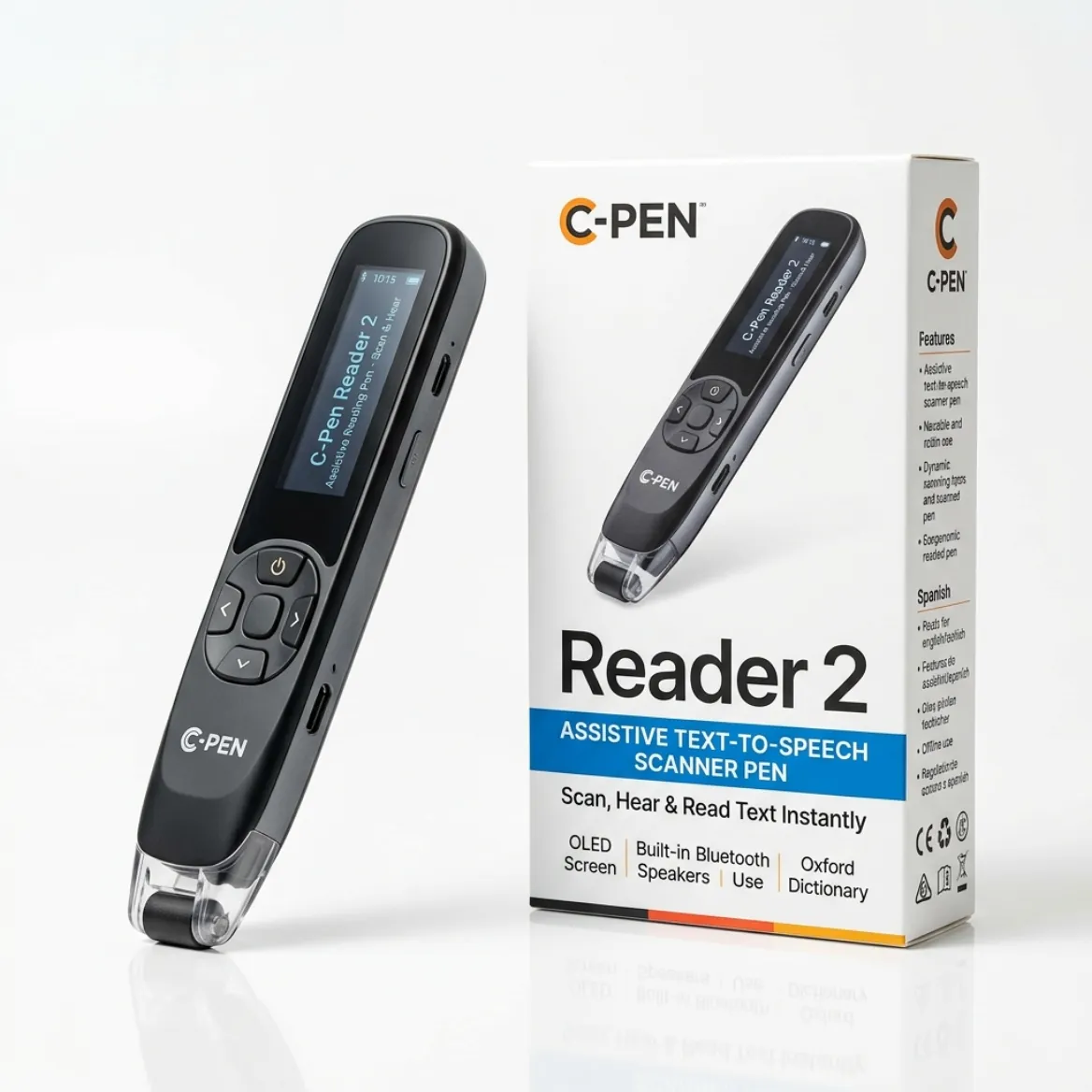
- C-Pen Reader 2: An everyday reading pen featuring a built-in dictionary (Cambridge Dictionary), voice recorder, and text storage. It is ideal for homework, revision, and independent reading at home or in class. It works as a standalone device with no Wi-Fi or software needed, making it reliable in any setting — from classrooms to everyday home use.
- C-Pen Exam Reader 2: A specialized exam-access tool. It provides text-to-speech functionality but contains no dictionaries, storage, or Wi-Fi, which is what exam access arrangements typically require (GCSE, A Level, SAT, and ACT assessments).
- Scanmarker Air & Max: Scanmarker Air is a wireless pen scanner that connects to computers or mobile devices via Bluetooth. It reads text aloud in real-time through an app and allows users to easily scan, edit, and export text directly into programs like Microsoft Word or Google Docs. Scanmarker Max adds an on-device color touchscreen, standalone reading, and an Exam Lock mode.
- IRISPen Reader 8: A fully offline standalone pen with a color touchscreen: OCR in 48 languages, read-aloud in 5 languages and a camera for photo OCR, with no Wi-Fi or cloud involved.
- RocketPen Reader: A reading pen built around decoding support, with spelling, syllabication and phrase aids alongside read-aloud. It scans paper and screens, which suits younger readers.
- OrCam Learn & Read 3: Advanced handheld reading tools that capture full pages or targeted paragraphs hands-free for readers needing higher-level accessibility support.
Other models worth knowing in this category:
- Scanmarker Pro: A standalone touchscreen pen with a dictionary and real-time text-to-speech that needs no computer or app. It suits independent reading at home and in class, but it is not the exam model (Scanmarker Max is).
- Scanmarker Pal: A compact standalone pen for core read-aloud. It has no dictionary, phonics or app link, which keeps it simple for readers who only want the words spoken.
- C-Pen Reader 3: A newer standalone pen with a 2.3 inch touchscreen, five offline reading languages (English, French, Spanish, Italian, German), file storage and a voice recorder. Because the dictionary and storage stay active, it is for everyday use, not for formal exams.
- Scanmarker Reader: A Bluetooth pen that works with reading rulers and text-to-speech on a host computer or phone, with colour and spacing controls. It needs a device, so it is not an offline or exam option.
- PenPower WorldPenScan AI Reader: A standalone touchscreen pen with an AI companion that can simplify sentences, answer questions and build vocabulary quizzes. The AI features need Wi-Fi, and it is not an exam device.
Standalone, app-required or camera reader: what is the difference?
A standalone pen has its own screen, speaker and battery, so it reads aloud with no phone or laptop. An app-required pen sends the scan to a computer or phone, and the speech comes from that device. A camera reader, such as the OrCam range, captures a larger area and reads it with one button.
For most readers with dyslexia, standalone is the easiest starting point because there is nothing to pair or update. App-required pens suit older students who mainly want to scan quotes into essays. If you are unsure which category you need, see our reading pen vs. OCR pen guide.
Direct Comparison: Top Dyslexia Reading Pens
Compare the leading assistive reading pens by their primary purpose, exam legality, and audio capabilities:
| Model | Key features | Connectivity | Exam use | Best for | Buy |
|---|---|---|---|---|---|
| Scanmarker Max | Touchscreen, read-aloud (50+ languages online, several offline), translation, dictionary, Exam Mode lock | Standalone | Exam Mode lets an administrator lock features | Classroom reading, exams and bilingual learners | See on Amazon |
| RocketPen Reader | Read-aloud with six decoding aids (spelling, syllabication, phrases); scans paper and screens | Standalone | Check with exam centre | Younger readers building decoding skills | See on Amazon |
| IRISPen Reader 8 | Fully offline OCR (48 languages), read-aloud in 5 languages, color touchscreen, photo OCR | Standalone, no Wi-Fi | Check with exam centre | Offline reading and privacy-sensitive settings | See on Amazon |
| Scanmarker Pro | Touchscreen, read-aloud (offline in several languages), 100+ translation languages online, Collins English dictionary | Standalone | Has dictionary and translation | Home study and older students | See on Amazon |
| Scanmarker Air | Wireless OCR into Word/Docs, read-aloud in the app | Bluetooth to laptop or phone | No (needs a device) | Research, notes and essays | See on Amazon |
| C-Pen Exam Reader 2 | Text-to-speech only; no storage, dictionary or Wi-Fi | Standalone | Designed for exam access arrangements | Formal exams in place of a human reader | Not on Amazon US |
How to read this comparison
Start with the Connectivity and Exam use columns, because they rule pens in or out fastest. A pen that needs a device cannot be used in a quiet exam room, and a pen with a dictionary or storage usually cannot be used in an exam at all unless those features are locked or removed.
Then look at Best for. The table is a shortlist, not a ranking. The right pen is the one that matches the reader's age, school rules and daily routine. When two pens look similar, use our interactive pen comparison tool to line them up side by side.
Key Features to Consider Before Buying
When selecting a reading pen for someone with dyslexia, evaluate these essential criteria:
1. Text-to-Speech Audio Quality & Headphone Support
Converts printed words into clear synthetic speech via a built-in speaker or connected 3.5mm/Bluetooth headphones. Look for adjustable reading speed so learners can slow down for complex phonemes or speed up as comprehension improves.
2. Exam Compliance & Testing Regulations
Ensure you check local school or board regulations; standard reader pens with storage are typically banned during tests, whereas exam-specific models (such as the C-Pen Exam Reader 2) are permitted in GCSE, A Level, and other JCQ-regulated assessments when used as the candidate's normal way of working.
3. Dictionary & Translation Support
Some models offer instant definition lookups or multi-language translation, which are great for daily study and English Language Learners (ELL) but must be disabled on exam-approved versions.
4. Ergonomics & Ease of Use
Most pens support left- or right-handed settings by simply rotating or adjusting the display orientation in the menu. Lightweight devices prevent hand strain during extended reading sessions.
5. Reading Aids: Phonics, Syllables and Spacing
Some pens add tools aimed at decoding, such as syllable breaks on screen, phonics support or reading rulers. The RocketPen Reader shows syllable breaks, and Scanmarker Max includes phonics. Pens without these aids, such as Scanmarker Pal, simply read the words aloud. Choose extra aids only if the reader will use them.
6. Battery Life & Charging
A pen that runs out of charge mid-lesson is worse than no pen. Our catalogue lists about 6 to 8 hours of use for IRISPen Reader 8, 8+ hours for C-Pen Reader 3 and 16 hours for Scanmarker Max. Most current models charge over USB-C, so a school or family can share chargers.
7. Languages & Voices
Check which languages read aloud offline and which need Wi-Fi. For example, IRISPen Reader 8 reads aloud in five languages, while RocketPen Reader scans English and French. A larger online language count does not help if the pen will be used offline.
8. Privacy & Data
Fully offline pens keep scans on the device. This matters for sensitive documents at work, and some schools prefer devices that send nothing to the cloud. IRISPen Reader 8 is fully offline, and C-Pen Secure Reader 2 is built to leave no user data behind.
What to Check Before You Buy a Reading Pen for Dyslexia
Check six things before you buy: who will use the pen, whether it is for exams, whether it must work without a phone, which reading aids matter, the current price and the return policy. Working through them in order narrows most shortlists to two or three pens.
- Name the reader. A seven-year-old, a teenager revising for exams and an adult reading work documents need different pens.
- Ask the school or exam centre what is allowed. Do this before you buy, not after.
- Decide standalone or app-required. If there will be no laptop or phone at the desk, choose standalone.
- List the must-have aids, such as a dictionary, syllables, phonics, a lock or offline languages.
- Check the weight and grip. Pick up the pen, or read reviews that mention hand size, if the reader is young or has a small hand.
- Compare the price band and what comes in the box, such as earphones, a case and a line guide.
- Read the return policy so you can send the pen back if the reader finds it awkward.
Which Reading Pen Fits Which Reader?
The best pen depends on the reader's situation. This table matches common situations to a pen type, models to start with and the one thing to check first.
| Situation | Pen type to look for | Models to start with | Check first |
|---|---|---|---|
| Young reader building decoding skills | Standalone pen with syllable or phonics aids | RocketPen Reader, Scanmarker Max | Weight, grip and whether a teacher can lock settings |
| Formal exam in place of a human reader | Exam-specific model: reads aloud only | C-Pen Exam Reader 2 | Written approval from the exam centre |
| Classroom with teacher control | Standalone pen with a PIN lock | Scanmarker Max | Who holds the exam-lock PIN |
| Homework and revision at home | Standalone pen with a dictionary | C-Pen Reader 2, Scanmarker Pro | Dictionary quality and headphone use |
| Essays and notes on a laptop | App-required scan-to-text pen | Scanmarker Air | A computer or phone must be nearby; not for exams |
| Privacy-sensitive or offline use | Fully offline standalone pen | IRISPen Reader 8, C-Pen Secure Reader 2 | Offline languages you need |
| Reader who wants sentences explained | Standalone pen with an AI companion | PenPower WorldPenScan AI Reader | Needs Wi-Fi; not for exams |
Who each type of pen is for
- Standalone pens are for readers who want to scan and listen with no setup, in class or at home.
- Exam pens are for candidates whose school has approved read-aloud support as their normal way of working.
- App-required pens are for older students and adults who want scanned text in a document as well as speech.
- Camera readers such as the OrCam range are for readers who want one-button reading of larger passages and can accept a higher price.
Who Should Skip a Reading Pen?
A reading pen is not the right tool for every reader. It is a poor fit when the main need is whole-page or whole-book listening, when most of the reading is handwritten, or when the reader cannot yet hold a pen steadily along a line.
- If most of the work is on a screen, text-to-speech built into a computer or tablet may be easier than a pen.
- If a child finds the scanning motion hard to control, a reading ruler or coloured overlay may be a better first step, as the FAQ below notes.
- If the reader needs full pages read aloud in one pass, ask a teacher or specialist about computer readers or audiobooks.
- If you want an exam pen but the school has not agreed to it, wait until the centre confirms what is allowed.
How Much Does a Reading Pen for Dyslexia Cost?
In our catalogue, the pens in this guide fall into three price bands: $100–199, $200–399 and $400+. Exact prices change often, so check the product page for the current figure.
| Price band | Pens in this guide |
|---|---|
| $100–199 | IRISPen Reader 8, Scanmarker Pal, Scanmarker Air, Scanmarker Reader, PenPower WorldPenScan AI Reader |
| $200–399 | C-Pen Reader 2, C-Pen Exam Reader 2, Scanmarker Max, Scanmarker Pro, RocketPen Reader |
| $400+ | C-Pen Reader 3, OrCam Read 3 |
OrCam Learn Basic is listed with UK pricing only, so we show no US price band. Browse current options in the ScannerReader shop.
Funding varies. Some families buy a pen directly, while some schools, disability services or employers provide one as part of support. Coverage by insurers or public programs differs by case, so read our guide to insurance and Medicaid coverage for scanning pens and ask the provider before you assume anything is covered.
How Do I Trial a Reading Pen Before Committing?
Trial a pen on the reader's own school or work material for at least a week, with a short routine each day. This shows whether the pen reads that material accurately and whether the reader will actually pick it up.
- Pick three real pages: a textbook page, a worksheet and something the reader enjoys.
- Scan one line at a time on matt paper in good light.
- Ask the reader to say, in their own words, what the line meant.
- Note which words the pen misreads, such as small print or glossy pages. Our pen scanner troubleshooting guide explains common fixes.
- Try headphones as well as the speaker, and set a reading speed the reader likes.
- Decide with the reader whether they would use it unprompted. If not, check the return policy.
Teachers and special-education teams can find more on classroom use in pen scanners for schools, and therapists can see assistive reading tech for SLPs and OTs.
Common Mistakes When Choosing a Reading Pen
The most common mistake is buying a pen before checking exam rules and standalone needs. These are the others we see most often.
- Buying a full-feature pen and expecting to use it in an exam. Pens with an active dictionary or storage are usually not allowed.
- Choosing an app-required pen for a reader who has no laptop or phone at the desk.
- Judging a pen by its language count. Offline reading languages and online translation languages are different things.
- Skipping a trial. A pen that is heavy or awkward will stay in the backpack.
- Expecting the pen to teach reading. It gives access to text. It does not replace teaching.
Exam Rules at a Glance
Exam rules differ by country, exam board and test, and they change. Always ask the exam centre or testing coordinator in writing before buying a pen for an exam.
In the UK, the JCQ rules described in the FAQ below apply to GCSEs and A Levels. In the US, standardized tests such as the SAT and ACT, and state or school exams, have their own accommodation processes, and devices usually need approval in advance. For a detailed look at lock modes and approvals, see exam-approved reading pens.
Explore Reading Pens for Dyslexia on Amazon
Leading reading pens for dyslexia on Amazon: Rocket Pen for young readers building decoding skills, Scanmarker Max for school and exam mode, and IRISPen Reader 8 for fully offline reading.
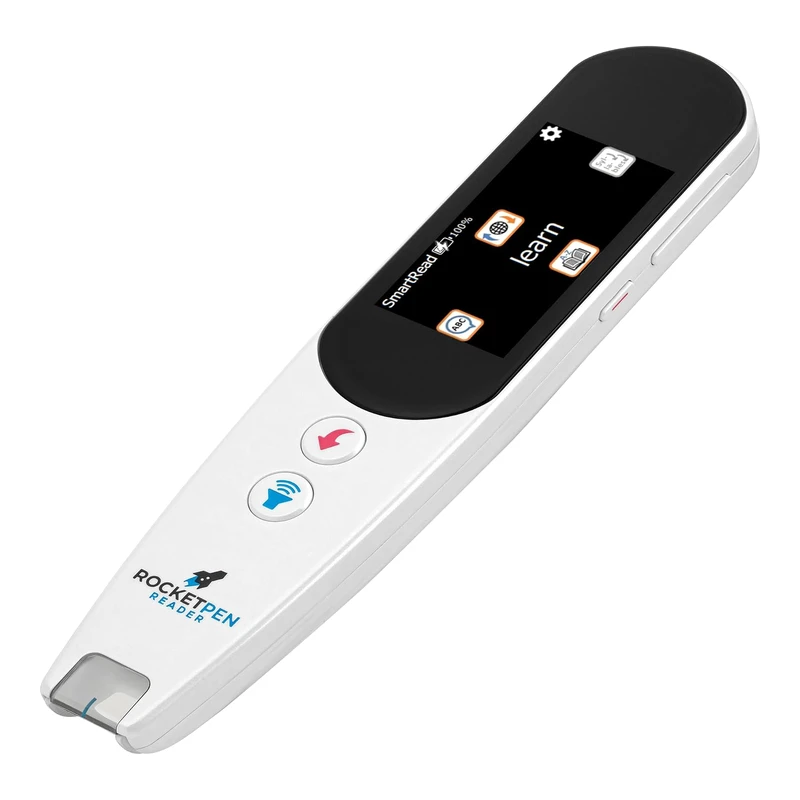 RocketPen ReaderStandalone reading tutorView details →
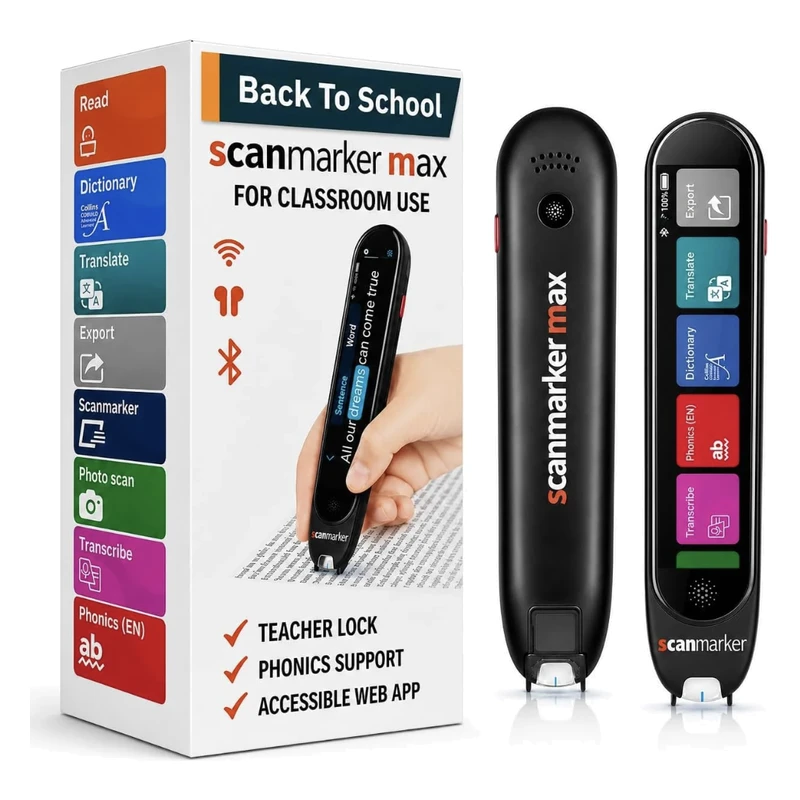 Scanmarker MaxStandalone touchscreenView details →
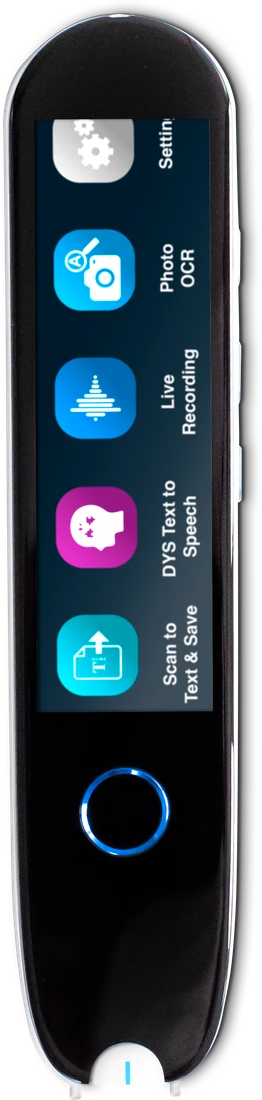 IRISPen Reader 8Standalone touchscreenView details →
Frequently asked questions
What is a reading pen and how does it work?
A reading pen is a handheld scanning device that reads printed text aloud through a built-in speaker or earphones. The user runs the tip of the pen across a line of text and the pen converts it to speech in real time. Reading pens support independent reading for SEND learners with dyslexia, giving access to books, worksheets and exam papers without needing a human reader.
Are reading pens allowed in GCSE and A Level exams?
Yes. The JCQ (Joint Council for Qualifications) permits exam-approved reading pens in GCSEs, A Levels and other regulated assessments where a candidate only needs occasional words or phrases read aloud. The pen must have no dictionary, thesaurus or data storage functions, or these features must be permanently disabled. The candidate must also have used the pen routinely in class as their normal way of working (NWoW).
Does a school need to apply through AAO for a candidate to use a reading pen?
No. For occasional reading support, an examination-compliant reading pen is permitted without an Access Arrangements Online (AAO) application. The SENCo needs to confirm the pen reflects the candidate's normal way of working and keep classroom and mock-exam evidence on file for JCQ inspection. If the candidate needs an entire paper read aloud, a Form 9 application for a computer reader is the correct route.
How do reading pens help children with dyslexia?
Reading pens decode printed text on demand, removing the barrier of slow or effortful word recognition that holds back many readers with dyslexia. By hearing a word read aloud while still seeing it on the page, the dyslexic reader keeps their place, comprehends meaning faster and builds reading confidence. The pen reduces fatigue, supports independent learning and lets the reader focus on understanding rather than decoding individual words.
What is the difference between the C-Pen Reader 2 and the C-Pen Exam Reader 2?
The C-Pen Reader 2 is the full-feature everyday pen for home and school, with a built-in dictionary, voice recorder, file storage and translation. The C-Pen Exam Reader 2 is the JCQ-compliant exam version with the dictionary, recorder and storage features permanently disabled, ready for use in regulated exams. Many schools buy both - the Exam Reader 2 for the exam room and the Reader 2 for everyday classroom and homework use.
What age are reading pens suitable for?
Reading pens suit confident readers from around age 7 upwards (Year 3 and above) and work well throughout secondary school, college and adult life. Younger children sometimes find the scanning motion tricky to control, so reading rulers or coloured overlays may be a better starting point at Key Stage 1. By Years 3 to 4 most children with dyslexia can use a reading pen independently with a short period of practice.
Do reading pens work on handwritten text?
No. Reading pens scan printed text only and cannot reliably read handwriting, whiteboard notes or low-contrast print. They work best on standard textbook fonts, exam papers, worksheets and most paperbacks. Very glossy paper and very small print can cause scanning errors. For best results, use the pen on matt paper in good light with a font size of at least 8 to 10 point.
Which reading pen is best for dyslexia?
There is no single best pen. For young readers building decoding skills, the RocketPen Reader is a strong fit. For classrooms and exam mode, look at Scanmarker Max. For fully offline reading, look at IRISPen Reader 8. Match the pen to the reader's age, exam needs and whether a phone is available.
Is a standalone reading pen better than an app-based one?
For most readers with dyslexia, yes. A standalone pen has its own speaker, screen and battery, so it reads aloud with no phone or laptop to pair. App-based pens such as Scanmarker Air suit older students who want scanned text to land in a document, but they depend on a nearby device and are not exam options.
Can adults with dyslexia use a reading pen at work?
Yes. Adults often use a standalone pen with headphones to read forms, emails, reports and printed instructions discreetly. If the documents are sensitive, an offline pen such as IRISPen Reader 8 keeps scans on the device. Ask your employer about workplace adjustments, since policies and support differ.