Pen Scanners for Schools: Classroom Accommodations, IEPs & EdTech Funding Guide
Short answer: Schools implement pen scanners to give students with dyslexia, IEPs, or 504 plans independent reading access in the classroom. Standalone models like Scanmarker Max and Rocket Pen eliminate phone distractions, operate without cloud storage to protect FERPA student privacy, and qualify for IDEA funding.

Key takeaways: pen scanners in schools
- A standalone reading pen lets a student scan printed text and hear it read aloud without a phone, tablet or school network.
- Whether a pen suits a student is a decision for the IEP or 504 team, using the student's needs and the school's policies. A pen is never guaranteed.
- Offline pens such as the IRISPen Reader 8 can simplify privacy reviews, but district IT and compliance staff should still check each model before buying.
- Classroom pens usually fall into three groups: early-literacy readers, general reading-and-dictionary pens, and connected pens that send text to a computer.
- Funding sources such as IDEA, Title I and state grants may help, but eligibility rules vary by state and district.
- For tests and exams, a pen needs separate approval and often a locked or dedicated exam model.
Assistive Reading Technology in the Modern K-12 Classroom
Classroom reading demands escalate dramatically between elementary, middle, and high school. When students face decoding obstacles due to dyslexia, ADHD, language processing differences, or English language learning, their academic progress across science, history, and literature often stalls.
Pen scanners transform classroom accessibility by providing immediate, portable text-to-speech support directly at the student’s desk. Instead of pulling a student out of class for specialized intervention or relying on a human paraprofessional to read assignments aloud, scanning pens grant students immediate autonomy over printed curriculum materials.
Meeting IEP & Section 504 Accommodation Requirements
Under the Individuals with Disabilities Education Act (IDEA) and Section 504 of the Rehabilitation Act, schools are legally mandated to provide reasonable accommodations that grant students equal access to standard educational materials.
Common accommodation language that supports pen scanner deployment includes "oral presentation of printed text," "access to text-to-speech assistive technology," and "bimodal reading support for independent seatwork."
By utilizing standalone reading pens, schools fulfill these accommodations without creating student self-consciousness or classroom disruption, fostering self-advocacy and academic confidence.
Which students might benefit from a classroom reading pen?
Students most likely to benefit are those for whom decoding printed words slows learning: students with dyslexia, other reading disabilities, language processing differences, or those learning English. Ask the student's teacher, specialist or evaluator whether a pen fits their needs. Read more in our reading pen for dyslexia guide.
A reading pen is a support, not a substitute for reading instruction. It works best alongside the teaching, intervention and practice that the school already provides.
IEP Tip: When writing accommodations into an IEP or 504 plan, specify "student access to a handheld text-to-speech scanning pen with headphones for printed worksheets, textbooks, and non-reading evaluations."
This section is general information, not legal advice. IEP and 504 decisions are made by each student's team, and wording should match the student's evaluation. Check with your district's special education or 504 coordinator before relying on any template.
How do you ask for a reading pen at an IEP or 504 meeting?
- Write down where the student struggles with printed text, with examples from class work.
- Ask the team whether assistive technology can be considered at the meeting.
- Request a trial period with a specific pen, so the team can see whether it helps.
- Agree on the settings: classroom use, homework use, headphones and any test limits.
- Make sure the accommodation, and who maintains the device, is written into the plan.
- Review the results at the next meeting and adjust if needed.
Parents and teachers can also read our guide on insurance and Medicaid coverage for scanning pens, and the guide for speech-language pathologists and occupational therapists if therapists support the student.
Student Privacy, FERPA, COPPA & Offline Classroom Security
School IT departments and district compliance officers face strict scrutiny regarding student data privacy under FERPA (Family Educational Rights and Privacy Act) and COPPA (Children’s Online Privacy Protection Act). Many consumer smartphones and cloud-connected apps capture voice audio, store student scans on external servers, or present Wi-Fi security vectors.
Leading educational reading pens—such as the Scanmarker Max and IRISPen Reader 8—are built to work without student accounts. Our catalogue lists IRISPen Reader 8 as fully offline with no cloud, while Scanmarker Max reads aloud offline in several languages but also has Wi-Fi and a web app for online features. A self-contained design makes approval easier, but ask each vendor what data leaves the device and check it against your district's own security checklist.
What should district IT check before approving a pen?
District IT should check how each model handles data, connections and updates. Standalone does not always mean network-free. Our catalog notes that Scanmarker Max has Wi-Fi support and a web app, with some reading and translation languages working online, while the IRISPen Reader 8 is described as fully offline with no cloud.
- Does the pen ever connect to Wi-Fi, a phone or an account?
- Is any scanned text or audio stored on the pen, and can it be wiped?
- Does the vendor offer a data privacy agreement or privacy statement?
- Does the pen need an app, login or email address for students?
- Who updates the software, and how?
Treat compliance claims, including statements about FERPA and COPPA, as questions for the vendor and your district's privacy officer, not as a guarantee.
Classroom Device Selection Matrix: Hardware Comparison for Schools
When selecting devices for classroom sets, school libraries, or resource rooms, consider the operational tradeoffs between standalone audio readers and computer-connected highlighters:
| Model | Primary Classroom Role | Connectivity | Audio Output | School Suitability |
|---|---|---|---|---|
| Scanmarker Max | Independent reading & dyslexia support | Standalone (No PC needed) | Built-in speaker & 3.5mm jack | Ideal for elementary & middle school desks |
| Scanmarker Max (Amazon listing with phonics cards) | Early literacy & phonics intervention | Standalone + 200 Phonics Cards | Speaker & 3.5mm jack | Best for Title I reading labs & K-3 reading recovery |
| C-Pen Reader 3 | High school reading & vocabulary lookup | Standalone | Speaker & 3.5mm jack | Excellent for independent high school study |
| Scanmarker Air | Digital research & Google Docs note-taking | Bluetooth / USB to Chromebook/PC | Host device audio | Best for high school computer labs & journalism |
| RocketPen Reader | Decoding support for early readers | Standalone | Built-in audio | K-3 reading intervention and resource rooms |
How do you choose a pen by grade level and need?
Choose by the student's main need: early decoding, daily reading support, or capturing text on a computer. The table below uses price bands from our catalog.
| Need | Pen to consider | Type | Price band |
|---|---|---|---|
| Early literacy and phonics | Scanmarker Max | Standalone touchscreen with phonics | $200 to $399 |
| Dyslexia support with built-in dictionaries | RocketPen Reader | Standalone, syllable-break display | $200 to $399 |
| Younger readers on a smaller budget | Scanmarker Pal | Standalone, no dictionary or phonics | $100 to $199 |
| Privacy-first offline reading | IRISPen Reader 8 | Standalone, no cloud | $100 to $199 |
| Primary and secondary literacy | C-Pen Reader 2 | Standalone, Cambridge dictionary | $200 to $399 |
| Capture text into Docs or Word | Scanmarker Air | Connected (Bluetooth or USB) | $100 to $199 |
Who should skip a classroom pen?
Skip a pen if a student cannot track a line of print or needs whole-page, screen or image reading. Students with low vision may do better with other tools; our guide to reading pens for low vision and seniors covers some options.
Managing Classroom Logistics: Batteries, Hygiene & Headphones
Successful school-wide rollouts depend on simple classroom logistics. Best practices from experienced district assistive technology specialists include:
1. Universal 3.5mm Headphone Compatibility: Ensure reading pens feature standard 3.5mm headphone jacks so students can use standard district-issued wired headphones, preventing ambient noise in quiet classrooms.
2. Dedicated Charging Stations: Implement 5-port or 10-port USB charging docks in resource rooms so devices remain powered throughout the 6-to-8 period school day.
3. Optical Tip Hygiene: Optical scan windows should be inspected weekly and cleaned with dry microfiber cloths or isopropyl alcohol wipes to remove graphite and paper dust.
4. Shared-device hygiene: If pens are shared, wipe the body between students following the manufacturer's care instructions, and keep headphones assigned to one student.
5. Labeling and storage: Label each pen and its charger, and store pens in a lockable case so they return to the charging station every day.
How do you run a classroom pilot?
- Pick a small group of students with different needs and a teacher who will support them.
- Train students for a few short sessions on gliding, headphones and charging.
- Set a fixed trial period and note which tasks the pen helps with.
- Collect feedback from students, teachers and IT.
- Decide whether to expand, switch models or stop.
Funding District Deployments: Title I, IDEA, ESSER & EdTech Grants
School districts rarely purchase assistive reading technology out of general operational budgets. Dedicated state and federal grant mechanisms are specifically allocated for reading technology:
IDEA Part B Assistive Technology Grants: Federal funds directly earmarked for devices and services that assist students with disabilities in achieving IEP goals.
Title I, Part A School Improvement Funds: Targeted assistance for schools serving high percentages of economically disadvantaged children to boost foundational reading proficiency.
State Literacy & Dyslexia Microgrants: Many state departments of education provide competitive innovation grants for school libraries and special education departments investing in evidence-based literacy hardware.
Funding rules, eligibility and allowed uses differ by state and district, so confirm with your special education director or grants office before budgeting. Procurement offices may also need quotes, tax-exempt documentation and vendor onboarding.
Can students use reading pens in school exams and state tests?
Sometimes, but not with an everyday pen. Tests usually require a pen that cannot give dictionary help, translation or storage, plus approval through the school or test provider. In our catalog, Scanmarker Max has a PIN-protected exam lock and the C-Pen Exam Reader 2 is a dedicated exam model.
Always check current rules with the test provider and your testing coordinator. Our guide to exam-approved reading pens explains the common rules. Students who also study with reading pens might like our pen scanners for students guide.
What are the common mistakes when rolling out reading pens in a school?
The most common mistake is buying devices before checking the student's needs, privacy requirements and test rules. Others are skipping training, forgetting charging plans and assuming one model suits every student.
- Buying a full class set without a pilot.
- Not checking whether the pen is allowed for the tests the student will take.
- Forgetting headphones, chargers and storage.
- Not writing the accommodation into the IEP or 504 plan.
School District Procurement & Reading Network Resources
For specialized district purchase orders, multi-unit educational discounts, and parent-teacher advocacy materials, explore our dedicated network resources:
- Scanmarker for Schools — Official district and school procurement portal for volume quotes, vendor onboarding, and tax-exempt purchasing.
- PenScan for Schools — Detailed classroom curriculum integration guides, pilot programs, and IEP accommodation templates.
- Pen for Dyslexia — Parent and family advocacy resources for securing assistive reading pens in IEP meetings.
- Reading Pen for Dyslexia Guide — In-depth breakdown of auditory decoding and comprehension mechanics.
- C-Pen Reading & Learning Guide — Comprehensive comparison of Reader 3 and Exam Reader 2 devices in educational environments.
Classroom reading pens on Amazon
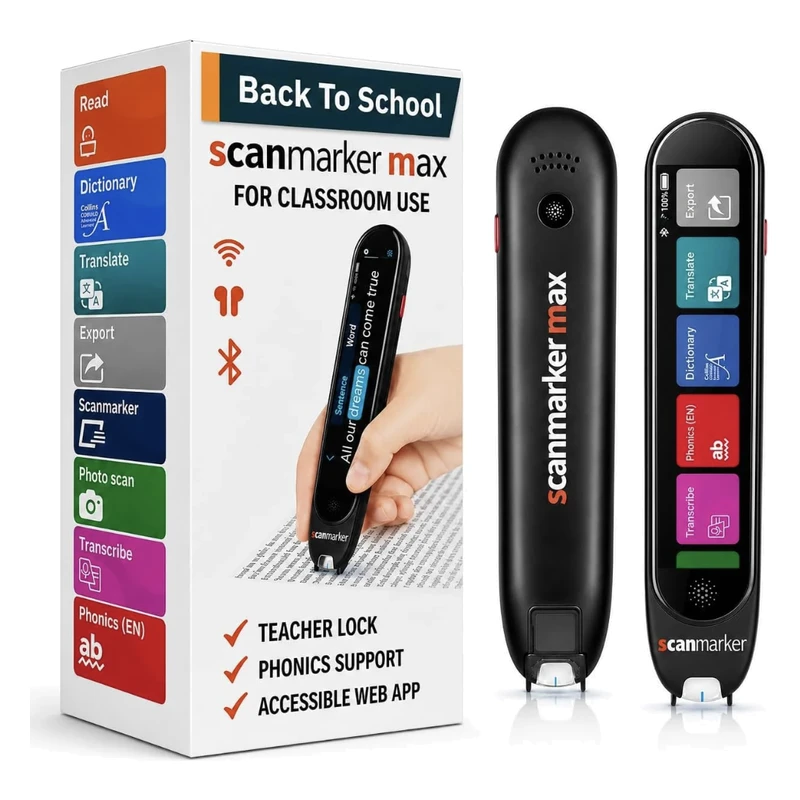 Scanmarker MaxStandalone touchscreenView details →
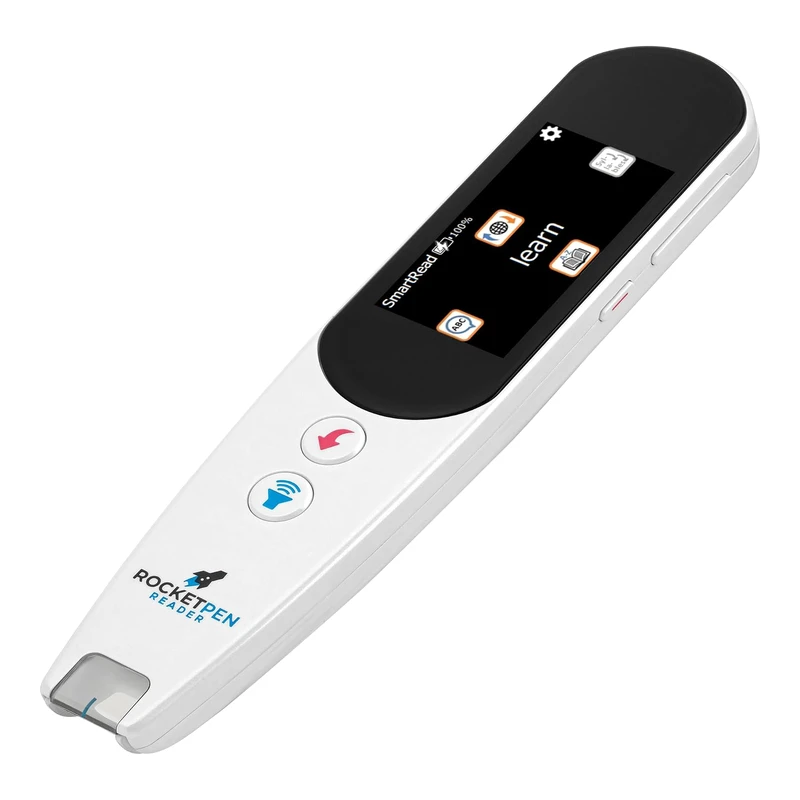 RocketPen ReaderStandalone reading tutorView details →
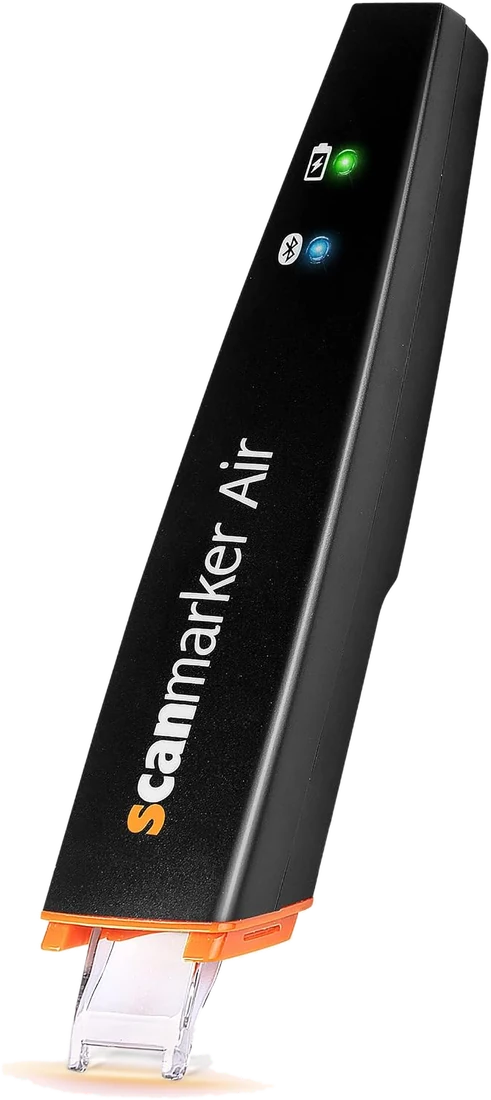 Scanmarker AirConnected (Bluetooth)View details →
Compare more options in the reading pens category, use the comparison tool, or browse the shop. For the basics, see what is a pen scanner and reading pen vs OCR pen.
Frequently asked questions
Do reading pens require a Wi-Fi connection in school classrooms?
Not for core reading. IRISPen Reader 8 is listed as fully offline, and Scanmarker Max reads aloud offline in several languages. Max also has Wi-Fi and a web app for its online features, so ask your IT team to review those before approval.
Can students use reading pens on official standardized exams?
Yes, provided the pen meets testing board guidelines. Standard reading pens with built-in dictionaries must be placed into certified "Exam Lock Mode" (available on Scanmarker Max) or schools must use dedicated exam pens without storage or dictionaries (such as C-Pen Exam Reader 2).
How do teachers manage volume and noise in a shared classroom?
Students plug standard 3.5mm wired classroom headphones into the pen. The audio feedback is routed entirely into the student’s ears, leaving the surrounding classroom completely quiet.
What federal grants can public schools use to purchase pen scanners?
Schools commonly fund pen scanners through IDEA Part B (Special Education Assistive Technology), Title I Part A (Improving Basic Programs for At-Risk Readers), and state dyslexia intervention grants.
Does a reading pen have to be written into an IEP or 504 plan?
It should be, if the school is providing it as an accommodation. The student's team decides what is written, based on the student's needs. Ask for the pen, headphones and when it may be used to be named in the plan, and check wording with your district's coordinator.
Which reading pen is best for elementary students?
For early readers, standalone pens with phonics or syllable support are common choices, such as Scanmarker Max and RocketPen Reader. Match the pen to the student's need and your district's privacy review, and try one in a short pilot before buying a class set.
Are reading pens safe for student privacy?
It depends on the model. Offline pens that do not connect to networks or accounts are simpler to review, but some pens have Wi-Fi or app features. Ask the vendor for privacy documentation and have district IT and your privacy officer review each model before buying.
How much do classroom reading pens cost?
In our catalog, school-suitable standalone reading pens fall mostly in the $100 to $199 and $200 to $399 bands, with some premium models at $400 or more. Volume pricing may be available from vendors, so request a quote and ask about school discounts.
Can a reading pen replace a human reader in tests?
Sometimes, if the test provider and school allow it. Rules differ by exam and state, and an everyday pen is usually not enough because dictionaries and storage are restricted. Ask your testing coordinator, and see our exam-approved reading pens guide.