The Best OCR Pen Scanners for 2026
Short answer: Best OCR pen for scanning into Word and Google Docs: Scanmarker Air. Best fully offline OCR pen: IRISPen Reader 8 (48 OCR languages on the device). Best standalone OCR pen with translation: Scanmarker Pro. Best for school with exam mode: Scanmarker Max.
Key takeaways
- This page ranks OCR pen picks by use case. For a general explanation of how OCR pens work, start with our OCR pens guide, and browse every model in the OCR pen category.
- Scanmarker Air is the pick for typing scanned text straight into Word, Excel, Google Docs or a browser field, but it needs a paired laptop, phone or tablet.
- IRISPen Reader 8 is the pick for confidential documents and no-internet use because its OCR runs entirely on the pen.
- Scanmarker Pro and Scanmarker Max are standalone pens that read aloud and translate on the device. Max adds a camera and a PIN-protected exam mode.
- Print quality and scanning technique affect OCR accuracy more than which pen you buy.
What OCR actually does
OCR (optical character recognition) is the engine behind every pen scanner: it turns the image of a printed line into editable, speakable or translatable text. Pen hardware matters, but OCR is what decides whether the text you get matches the page.
In practice, an OCR pen photographs a thin strip of the page as you slide it along a line. Software then identifies the letters and groups them into words. What happens next depends on the pen: it can type the text into an app, read it aloud, translate it or store it. For the full technical pipeline, see how pen scanning works.
What is the best OCR pen scanner? Ranked by use case
There is no single best OCR pen, because the right choice depends on where the scanned text needs to end up. The picks below are ranked by the job each pen does best, so you can find your use case and skip the rest.
- Scanning into documents: Scanmarker Air.
- Offline, private OCR: IRISPen Reader 8.
- Standalone reading and translation: Scanmarker Pro.
- School use with exam mode: Scanmarker Max.
- AI questions about scanned text: Scanmarker AI Pen, which is not in our product catalog.
The best OCR pen scanners for 2026
| Model | Type | OCR strengths | Buy |
|---|---|---|---|
| Scanmarker Air | Connected (Bluetooth) | Types recognized text straight into Word, Excel, Docs or a browser field | See on Amazon |
| IRISPen Reader 8 | Standalone, fully offline | OCR in 48 languages on the pen, plus photo OCR from a 5 MP camera | See on Amazon |
| Scanmarker Pro | Standalone touchscreen | Reads aloud and translates on the device (offline reading in several languages, 100+ translation languages online) | See on Amazon |
| Scanmarker Max | Standalone touchscreen | Line scanning plus a camera for paragraphs; exam mode | See on Amazon |
| Scanmarker AI Pen | Screen + AI | OCR scan reader with ChatGPT-powered Q&A on scanned text | See on Amazon |
Best for scanning into Word and Google Docs: Scanmarker Air
Scanmarker Air is a connected OCR pen that works over Bluetooth or USB with Windows, Mac, iOS and Android. It is best for writers, researchers and office workers who copy quotes, figures and references into documents. Skip it if you want a pen that reads aloud with no phone or laptop nearby. Our guide on scanning into Google Docs and Word shows the workflow step by step.
Best fully offline OCR pen: IRISPen Reader 8
IRISPen Reader 8 is a standalone OCR pen that does everything on the device. Our catalog lists 48 offline OCR languages, offline reading in five languages (English, French, German, Italian and Spanish) and a price band of $100 to $199. It suits confidential documents, workplaces that block cloud tools, and travel without data. It is not the best choice if translation is your main use.
Best standalone OCR pen with translation: Scanmarker Pro
Scanmarker Pro reads aloud and translates on the pen, with a dictionary and real-time text-to-speech. It needs no computer or app. Our catalog places it in the $200 to $399 band and lists 100+ translation languages online. It is not the pen for formal exams.
Best OCR pen for school with exam mode: Scanmarker Max
Scanmarker Max adds a camera for paragraphs, phonics practice and a PIN-protected exam lock that a teacher can control. It is listed as exam approved in our catalog. Rules differ by exam and country, so confirm with the school or exam board before test day. See exam-approved reading pens for more.
OCR pen with AI questions: Scanmarker AI Pen
The Scanmarker AI Pen is an OCR scan reader with AI question-and-answer on scanned text, as the table above notes. It is not in our product catalog, so we do not have a product page or specification sheet for it. Check the Amazon listing before you buy.
What actually changes OCR accuracy
Print quality matters more than the pen. Clean textbook and document fonts scan reliably on every model above. Glossy paper, stylized display fonts, low-contrast print and handwriting are harder for OCR in general.
Technique matters too. Dragging too fast or at an angle is the most common cause of dropped or garbled characters, on every model.
Offline vs. online is the real technical fork. IRISPen Reader 8 does everything on the pen with no network. Scanmarker Pro and Max read aloud offline in several languages and use Wi-Fi for translation and the rest. Scanmarker Air hands the text to your laptop or phone, and translation in its app needs internet.
How do I get the most accurate OCR scan?
Follow these steps for the cleanest result on any OCR pen:
- Place the pen tip flat on the page, with the pen at the angle the manual recommends.
- Start just before the first letter of the line.
- Drag at a slow, steady speed in a straight line.
- Lift the pen just after the last letter.
- Check the result on screen or listen to it. If it is wrong, re-scan the line more slowly.
- Use better lighting or change the angle if glare from glossy paper is the problem.
If errors continue, work through our pen scanner troubleshooting guide for tilt, speed and calibration tips.
Choosing by use case
Scanning into a document you're writing: Scanmarker Air. Confidential documents or no internet: IRISPen Reader 8. Reading and translating without a laptop: Scanmarker Pro. School use with exam mode: Scanmarker Max.
| Your situation | Best OCR pen | What to watch out for |
|---|---|---|
| You write reports, essays or papers and copy quotes into them | Scanmarker Air | Needs a paired device; translation needs internet |
| You handle confidential or regulated documents | IRISPen Reader 8 | Not the strongest choice for translation; confirm your employer's policy |
| You read and translate on the go with no laptop | Scanmarker Pro | Offline languages are limited; most translation languages need Wi-Fi |
| You are a student who may need exam mode | Scanmarker Max | Exam approval depends on the exam provider and the mode used |
| You enter data from desk documents into Word or Excel | C-Pen TS1 (G2) | Desk stand and PC or Mac software; no on-device read-aloud |
Who is an OCR pen for, and who should skip it?
An OCR pen suits people who regularly copy short passages from print into digital text, or who want printed text read aloud or translated. It is not the right tool for scanning whole pages or entire books.
- Good fit: students quoting sources, researchers collecting citations (see pen scanners for researchers), professionals entering data (see the scanning pen for work), and readers who benefit from read-aloud.
- Consider something else: anyone who needs whole pages digitized (use a flatbed or phone scanning app), anyone who mostly reads on screens, and readers with low vision who need full-page reading help.
If your main goal is listening to text read aloud, a reading pen may suit you better than an OCR pen. Our guide to reading pens vs. OCR pens shows how to decide.
What to check before you buy an OCR pen
Check where the text needs to go, which languages you need, whether you need offline use and whether you need exam mode. These checks usually settle the decision in minutes.
- Decide where the text should end up: a document on your computer, a phone note, the pen itself or your ears.
- List the languages you will scan and confirm each is supported for OCR, not only for translation.
- Check whether the pen needs a paired device, and whether your operating system is supported.
- Check whether OCR runs offline if you work with sensitive material.
- Check battery life and whether the pen uses USB-C charging.
- Confirm exam rules with your exam centre, school or employer if the pen will be used there.
Common mistakes when choosing an OCR pen
The most common mistake is buying a connected OCR pen and expecting it to read aloud on its own. Another is judging accuracy by marketing numbers instead of testing on your own printed material.
- Assuming every OCR pen works without a phone or laptop.
- Ignoring the paper type. Glossy magazines and low-contrast print will always be harder.
- Expecting handwriting recognition from a printed-text pen.
- Not testing a few lines right away after delivery, while the return window is open.
Go deeper on the mechanics
For the full scan-to-text pipeline, see how pen scanning works. To weigh OCR pens against reading or translation pens, see pen scanner types or the full comparison.
You can also compare pens on the specs that matter to you in the interactive pen comparison tool, or filter the pen shop by type and price band.
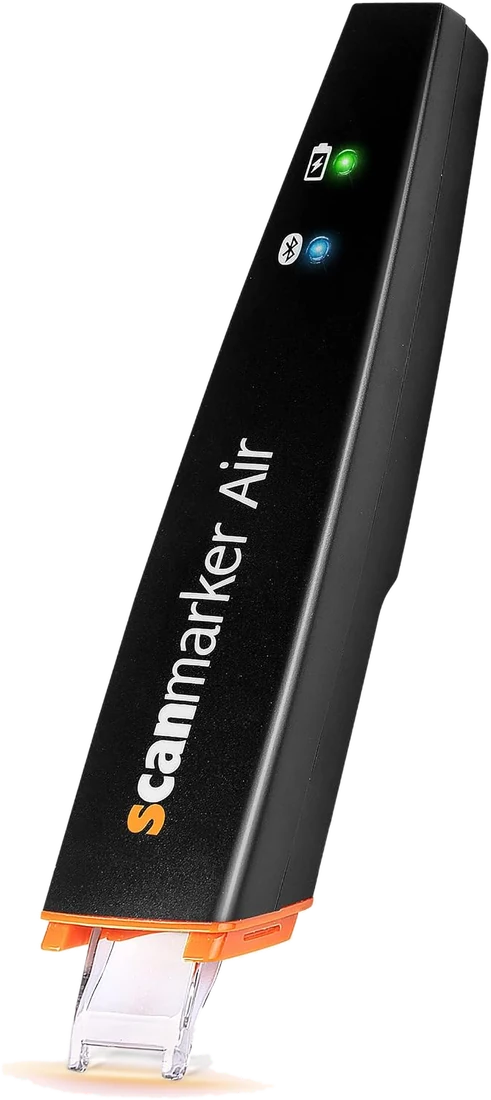 Scanmarker AirConnected (Bluetooth)View details →
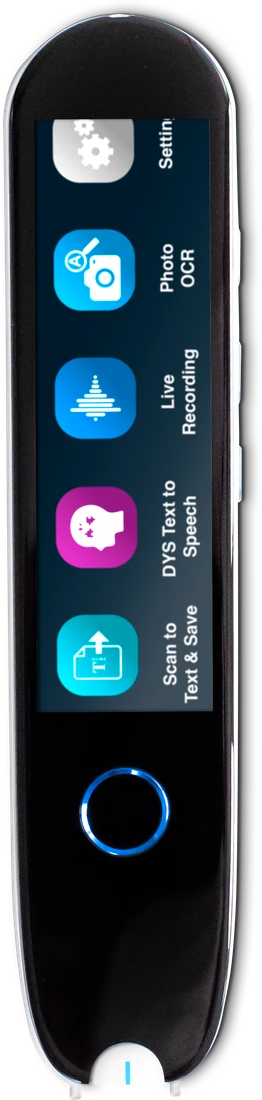 IRISPen Reader 8Standalone touchscreenView details →
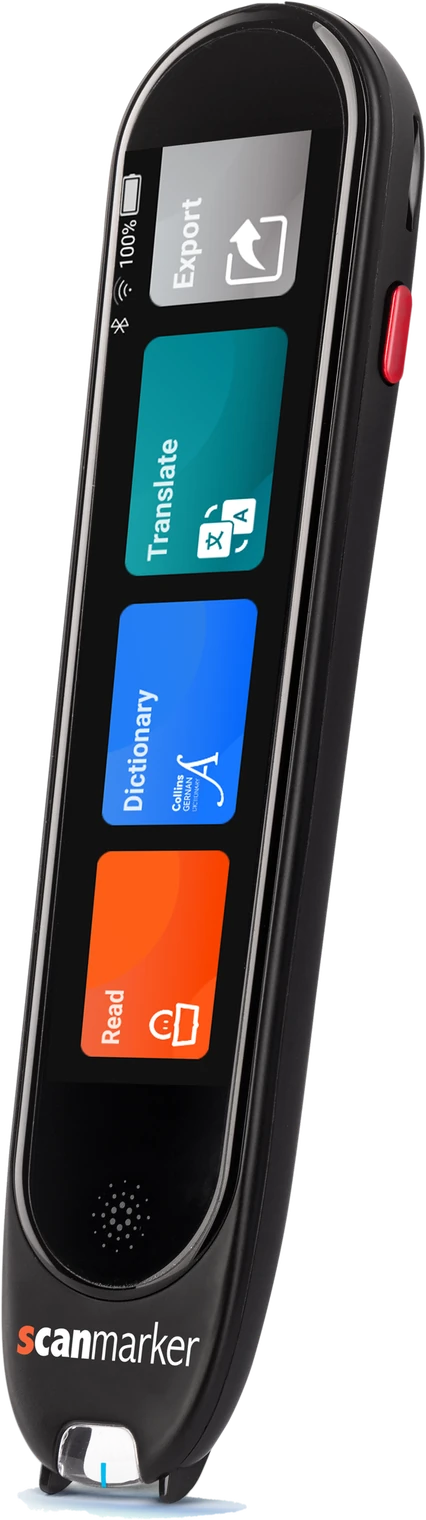 Scanmarker ProStandalone touchscreenView details →
Frequently asked questions
Which pen scanner has the most accurate OCR?
On clean printed text, the leading pens perform similarly; differences in practice come from print quality and scanning technique. Choose by workflow: Air for scanning into documents, IRISPen Reader 8 for offline OCR.
Does OCR pen scanning require an internet connection?
Not always. IRISPen Reader 8 runs OCR fully offline. Scanmarker Air recognizes text and sends it to your device; its translation needs internet. Scanmarker Pro and Max work offline in a limited set of languages.
How fast can a pen scanner read text?
About a second per printed line with a steady stroke. Hand steadiness limits speed more than the OCR engine.
What kinds of text are hardest for a pen scanner to read?
Glossy or low-contrast print, unusual display fonts and handwriting are the hardest cases for OCR in general.
What is an OCR pen scanner?
An OCR pen scanner is a handheld pen that photographs a printed line as you slide it across the page and turns the image into digital text using optical character recognition. Depending on the model, it types the text into an app, reads it aloud, translates it or stores it.
Which OCR pen is best for Word and Google Docs?
Scanmarker Air is the pick for typing scanned text straight into Word, Excel, Google Docs or a browser field. It connects by Bluetooth or USB and needs a paired laptop, phone or tablet, so it is not designed to read aloud on its own.
Can an OCR pen read handwriting?
Generally no. Pen scanners are built for printed text, and handwriting is one of the hardest cases for OCR. Some full-page devices and camera apps attempt it, but results vary. If handwriting matters to you, check the specific product page and test it before the return window closes.
Do I need an OCR pen or a reading pen?
Choose an OCR pen if you mainly want text typed into documents or notes. Choose a reading pen if you mainly want printed text read aloud on the device. Some pens do both, so compare features. Our guide to reading pens vs. OCR pens walks through the choice.
Are OCR pens allowed in exams?
Usually only specific exam-approved models and modes are allowed, and rules vary by exam provider and country. Scanmarker Max, for example, is listed as exam approved in our catalog with a PIN-protected exam mode. Always confirm with your exam centre or school before bringing any pen.