Translation Pen: Instant Text Translation, No App Needed
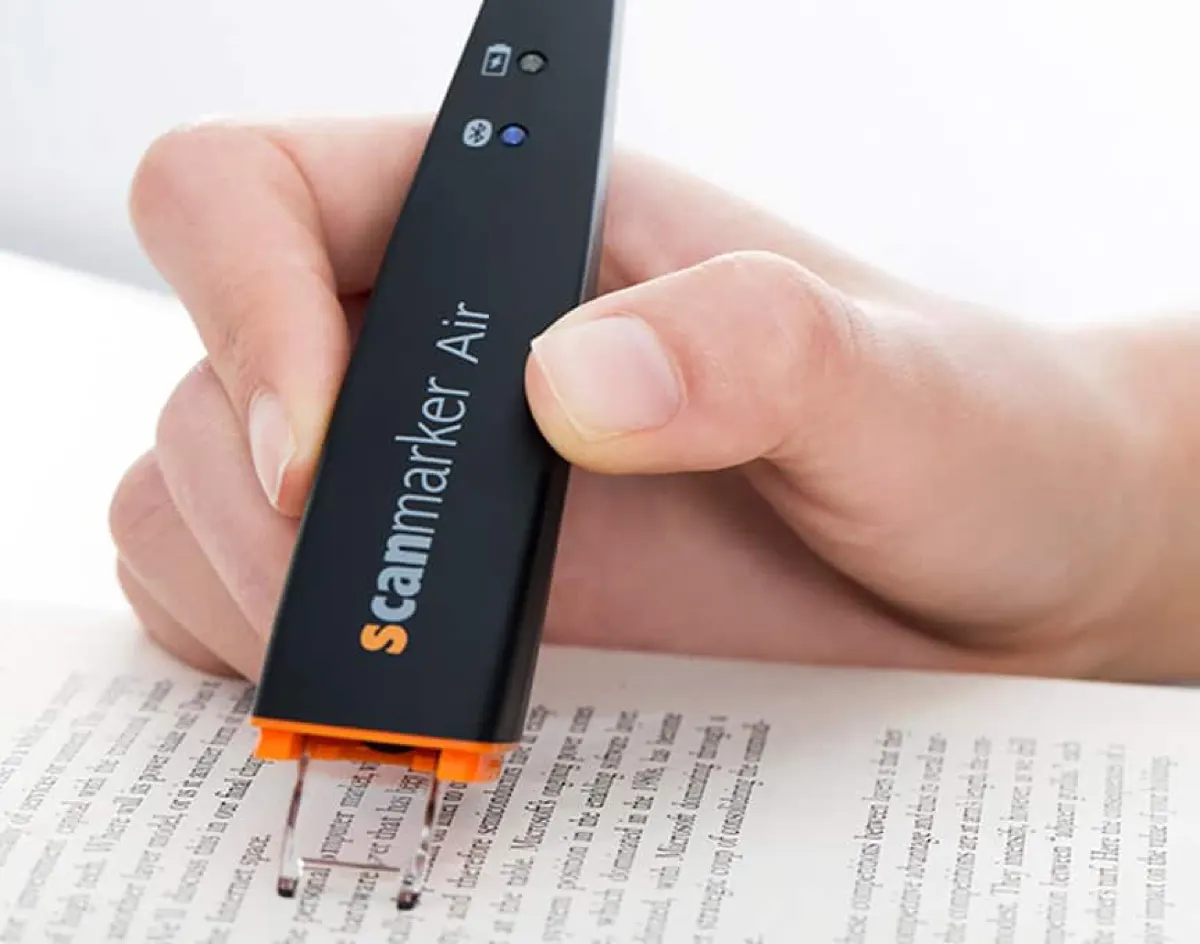
Short answer: A translation pen scans printed text and shows or speaks the translation. Check the offline language count before buying: Scanmarker Pro and Scanmarker Max read aloud offline in several languages and translate online, and IRISPen Air 8 needs a connection for most translation, while Scanmarker Air translates online in its app.
Key takeaways
- A translation pen is a handheld scanner that recognizes printed text and outputs it in another language, either on a screen, through a speaker or both.
- The most important spec is the offline language count, not the total. Many pens advertise 100+ languages but need Wi-Fi for most of them.
- Translation pens are best for quick, repeated lookups of menus, signs, labels and short passages. They are not a substitute for professional translation of legal, medical or technical documents.
- Standalone translation pens work without a phone, while connected pens such as Scanmarker Air translate in an app and need internet.
- The ScannerReader translation pens category lists the translator pens in our catalogue with languages, price bands and fit.
This guide is the overview of the translation pen category. For students and ESL learners, see translation pens for language learners. If you mainly want text read aloud in one language, read reading pens. For the wider family of devices, see what a pen scanner is.
How a translation pen works
The scanning process is identical to a standard reading pen — glide the tip across a line of text at reading pace. The difference is what happens next: instead of (or in addition to) reading the text aloud in its original language, the device runs the recognized text through a translation engine and outputs it in your chosen target language.
Scan → Translate, in three steps
How it worksOn-device vs. cloud-based translation
This is the key technical distinction to understand before buying. On-device translation works fully offline but typically supports fewer language pairs. Cloud-based translation supports far more languages and often higher accuracy, but requires an internet connection — a real limitation while traveling internationally without reliable data.
A pen advertising "100+ languages" that requires Wi-Fi for most of them behaves very differently while traveling than one with genuine offline coverage. Always check the offline language count specifically, not just the total.
Translation pen specs compared
Language counts below come from each manufacturer's own product listing. Offline counts are the number that matters when traveling.
| Model | Translation | Works offline? | Best for | Buy |
|---|---|---|---|---|
| Scanmarker Max | 100+ online · offline reading in several languages | Yes, several languages (reading) | Standalone reading and translation with exam mode | See on Amazon |
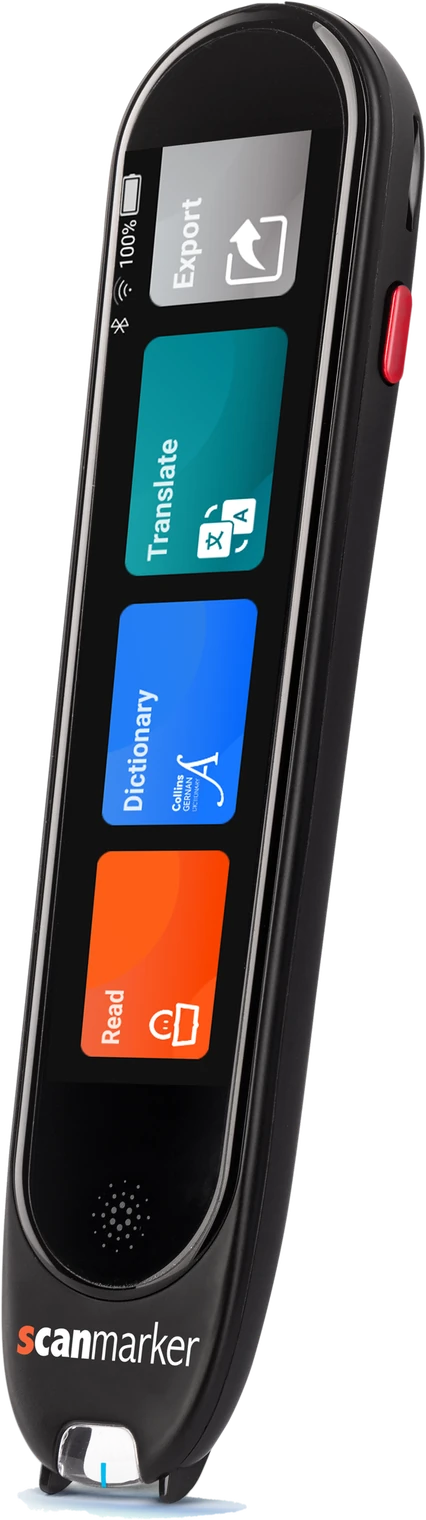
| Scanmarker Pro | 100+ online · offline reading in several languages | Yes, several languages (reading) | Most offline languages in the Scanmarker range | See on Amazon |
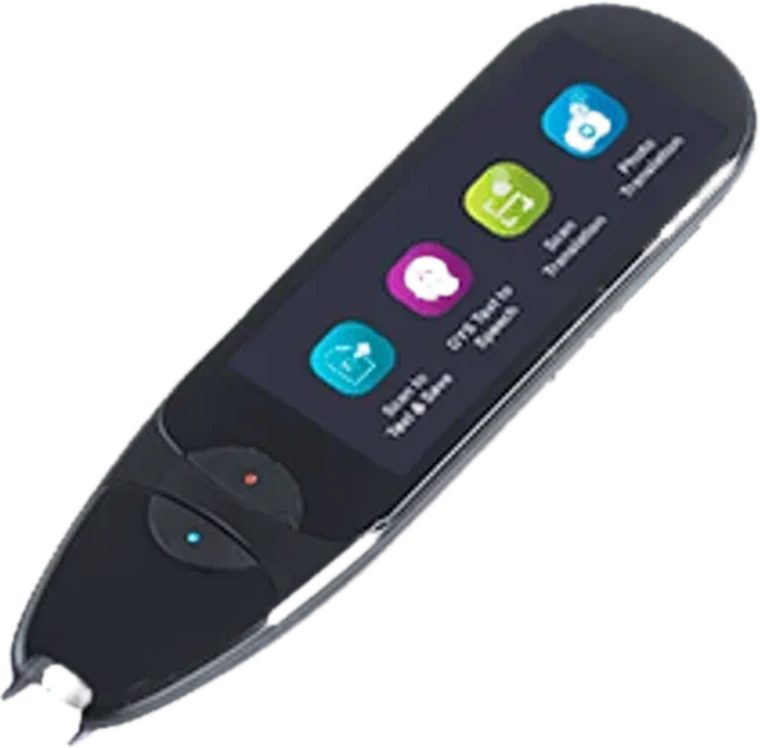
| IRISPen Air 8 | Reader plus translator | Mostly online | Travel with no data connection | See on Amazon |
| boeleo Translation Pen | 142 languages (listing) | Check listing | Budget translation for travel and study | See on Amazon |
| Scanmarker Air | 140+ languages in the app | No — needs internet for translation | Translating while scanning into a laptop or phone | See on Amazon |
Who actually needs a translation pen
- Travelers — menus, signage, and printed instructions in an unfamiliar language, translated instantly without unlocking a phone in public.
- Language learners — encountering unfamiliar vocabulary while reading foreign-language material, with instant definitions and context.
- Multilingual households — parents or grandparents reading school materials or mail in a language different from a child's primary school language.
- Professionals working with foreign-language documents — contracts, correspondence, and printed materials that need a fast first-pass translation before formal review.
What to look for in a translation pen
Number of language pairs supported, and how many work offline — this is the single most consequential spec. Output format matters too: some models speak the translation aloud (better for menus and signage), others display it on a screen (better when you need to see spelling or share it with someone). Check scanning speed and accuracy on printed vs. glossy or low-contrast text — reviews specific to packaging or signage fonts are worth checking if that's your main use case. Finally, battery life while traveling matters — international trips often mean limited charging access.
Translation pen vs. phone translation apps
The core trade-off: a translation pen wins on speed and discretion for quick, repeated lookups; a phone app wins on breadth of language support and zero additional cost if you already carry a smartphone everywhere.
| Factor | Translation pen | Phone app |
|---|---|---|
| Speed for a single line | Faster — no photo needed | Slower — photo + processing |
| Offline capability | Yes on Pro (12), IRISPen Air 8 (16), Max (5) | Varies widely by app |
| Discretion in public | Higher — no camera visible | Lower — phone camera visible |
| Cost | One-time device cost | Usually free |
What types of translation pen are there?
Translation pens fall into four practical types: offline-capable travel pens, online-first all-rounders, dictionary pens for language study, and connected pens that translate in an app. Each suits a different situation.
Offline-capable travel pens
These read printed text aloud without a connection. Scanmarker Max and Scanmarker Pro read aloud offline in several languages, but translation on both needs an internet connection, and IRISPen Air 8 is not suited to fully offline workflows. They suit trips where data is expensive or unreliable, as long as you only need read-aloud offline and can connect when you want a translation.
Online-first all-rounders
These advertise 100+ languages and rely on Wi-Fi or a hotspot. In our catalogue they include NEWYES Scan Reader Pen 4 / 4 Pro, VORMOR X5 Pro Reader Pen, SVANTTO Pen Scanner (TTS), Riokko Language Translator Scanner Pen and GoBudsGo Translation Pen Scanner. They tend to be cheaper, though support and firmware quality can vary between sellers.
Dictionary pens for language study
Youdao Dictionary Pen 3 is built for English and Chinese learners with offline dictionaries of 4M+ entries. iFLYTEK Smart Dictionary Pen lists 21 translation languages, offline scanning for English and Chinese, and screen-only output. These are narrower than a travel pen but deeper for study.
Hybrid reader and translator pens
C-Pen Lingo 3 combines reading, translation, dictionaries, a voice recorder and dictation on a large colour touchscreen. PenPower WorldPenScan Go adds live voice-to-voice interpretation and 57-language text-to-speech, though its translation needs Wi-Fi.
Connected translation through an app
Scanmarker Air scans into a laptop or phone and translates in its app. It suits someone who wants translated text inside a document. See OCR pens for how that workflow behaves.
Translation pens in our catalogue compared
The table compares the main translation-capable pens in our catalogue by translation coverage, offline ability and price band. Languages come from each product listing, so check the current page before you buy.
| Pen | Translation languages | Offline use | Price band | Best for |
|---|---|---|---|---|
| C-Pen Lingo 3 | 40+ world languages | Offline reading languages; translation online | $400+ | Language learners and EAL students |
| IRISPen Air 8 | Reader plus translator | Online translation; not suited to fully offline use | $200 to $399 | Students and professionals who want a screen and Bluetooth |
| Scanmarker Pro | 100+ online | Offline reading in several languages | $200 to $399 | Reading and translation at home and in class |
| Youdao Dictionary Pen 3 | English and Chinese | Offline dictionaries | $200 to $399 | English-Chinese learners |
| iFLYTEK Smart Dictionary Pen | 21 languages | Offline scan for English and Chinese | $100 to $199 | ESL and Chinese-English learners |
| PenPower WorldPenScan Go | Text-to-speech in 57 languages | Collins dictionary offline; translation needs Wi-Fi | $100 to $199 | Travel and bilingual reading |
| NEWYES Scan Reader Pen 4 / 4 Pro | 112 (142 claimed on some listings) | Online | $100 to $199 | Big-screen translation and photo OCR on a budget |
| NEWYES Scan Reader Pen 3 Pro | 112 text and voice | Online | $100 to $199 | Entry-level translation pen |
| VORMOR X5 Pro Reader Pen | 112 two-way | Online | $100 to $199 | Budget translation and read-aloud |
| SVANTTO Pen Scanner (TTS) | 115 | Online | $100 to $199 | Budget all-rounder |
| VORMOR Scan Reader Pen | 112 online | Limited offline set | Under $100 | Budget translation pen |
| Riokko Language Translator Scanner Pen | 112 | Online | Under $100 | Travel on a budget |
| GoBudsGo Translation Pen Scanner | 112, voice output for 77 | Online | Under $100 | Entry-level travel |
Our catalogue data lists IRISPen Air 8 as suited to users who do not need a fully offline workflow, so confirm which functions work offline on the current listing. Some budget pens change model names and firmware often, so read recent buyer feedback before choosing one. To line up any two pens, use the interactive comparison tool, or browse the shop.
How do you use a translation pen?
To use a translation pen, choose your source and target languages, glide the tip along a printed line, and read or listen to the translation. A few habits make the output much more accurate.
- Charge the pen and connect to Wi-Fi if you plan to use online languages.
- Choose the language of the printed text, then the language you want in return.
- Place the tip flat at the start of the line.
- Glide steadily to the end of the line, then lift.
- Read the translation on the screen, or listen through the speaker or headphones.
- Scan a single unfamiliar word if you want a dictionary entry rather than a sentence.
- Download any offline language packs before you travel, and test them with airplane mode on.
If the translation looks wrong, check that the source language is set correctly, then rescan more slowly under even light. See pen scanner troubleshooting for fixes.
How accurate are translation pens?
Translation pens are accurate enough for everyday understanding but can mistranslate idioms, slang, long sentences and specialist terms. Accuracy depends on both the scan and the translation engine, so treat output as a first draft.
- Scanning errors carry through. If the pen misreads a letter, the translation may be wrong even if the engine is good.
- Short is safer. One line or phrase usually translates better than a long sentence split over several scans.
- Context matters. A single word may have several meanings. A dictionary entry can help you pick the right one.
- High-stakes text needs a professional. For legal, medical, immigration or technical documents, use a qualified translator, and check with the relevant authority.
What are the limits of translation pens?
Translation pens read printed text one line at a time, often need Wi-Fi for most languages, and vary in battery life and support. These limits matter most when traveling.
- Offline coverage is smaller. Offline pairs are far fewer than online ones.
- Not for exams. None of the pens in our translation category is listed as exam approved. Check with the exam centre before bringing any translation device.
- Printed text only, mostly. Handwriting and stylized signage can fail.
- Cloud dependence. Online translation sends text to a service, which may be a privacy concern for sensitive documents. If this matters, see the privacy-first IRISPen Reader 8, which lists a fully offline design with no cloud (reading, not translation).
- Battery. NEWYES Scan Reader Pen 3 Pro lists 4 to 5 hours, so carry a charger on long days.
Which translation pen is best for my situation?
The best translation pen depends on where you will use it: choose offline coverage for travel, a dictionary pen for language study, and an online all-rounder for a low price at home or on Wi-Fi.
- Travel without data: Scanmarker Pro or Scanmarker Max for offline read-aloud in several languages (translation needs a connection), or IRISPen Reader 8 for fully offline reading and OCR.
- Language learning: C-Pen Lingo 3 for dictionaries and a large screen, or Youdao Dictionary Pen 3 or iFLYTEK Smart Dictionary Pen for English and Chinese.
- Classroom with exam mode: Scanmarker Max, listed with a PIN-protected exam lock, though you should check whether translation features are allowed in your exam.
- Budget travel: VORMOR, Riokko and GoBudsGo pens fall in the under $100 band, with online-first translation.
- Translating into a document: Scanmarker Air.
Who should skip a translation pen
- Readers who only need one language read aloud. A reading pen is simpler.
- People who only travel once. A free phone app may be enough.
- Anyone who needs certified or legal translation.
What to check before you buy a translation pen
- Write down your language pairs and check the offline count for each.
- Check whether output is spoken, shown, or both.
- Check battery life against your longest day out.
- Check stock, warranty and returns, especially for lower-cost brands.
- Read the pen scanner buying guide for a longer checklist.
Common mistakes
- Trusting the headline language total instead of the offline count.
- Assuming translation works in airplane mode without downloading packs.
- Relying on a pen for contracts or medical instructions.
- Buying a translator when you only need a reading pen, or the reverse.
See also the best OCR pen scanners for 2026 and pen scanner vs. phone for a wider comparison.
Go deeper
For the full workflow and productivity angle — scanning translated text directly into a document you're typing — see the scanning pen that speeds up your workday. For how the underlying OCR pipeline works before translation ever happens, see how pen scanning works and the best OCR pen scanners for 2026. For the full lineup side by side, see compare pen scanners.
Check current prices:
 Scanmarker ProStandalone touchscreenView details →
 IRISPen Air 8Standalone translation penView details →boeleo Translation PenStandalone translation penView on Amazon →
Frequently asked questions
Does a translation pen work without internet?
Some do. Scanmarker Pro and Scanmarker Max read aloud offline in several languages, while our catalogue lists IRISPen Air 8 as an online reader and translator that is not suited to fully offline workflows. Scanmarker Air translates in its app and needs an internet connection. Check the offline count before traveling.
How accurate is translation pen output compared to a human translator?
Good enough for everyday comprehension — menus, signs, basic correspondence — but not a substitute for professional translation of legal, medical, or highly technical material where precision is critical.
Can a translation pen also just read text aloud without translating?
Usually, yes. Scanmarker Max, Pro and Air all read scanned text aloud in the original language as well as translating it.
Is a translation pen worth it for occasional travelers?
For frequent international travel, yes — the speed and discretion advantage over a phone app adds up. For a single trip, a free phone translation app may cover the need adequately without the additional purchase.
How many languages do Scanmarker pens support?
Per our catalogue: Scanmarker Max and Pro each read aloud offline in several languages (English, Spanish, French, German, Italian), read in 50+ languages online and translate 100+ languages online, and Air translates 140+ languages through its app (online).
What is the best translation pen for travel?
For travel without data, pick a pen with a high offline language count, such as IRISPen Air 8 (16 listed) or Scanmarker Pro (12). Pens that advertise 100+ languages usually need Wi-Fi for most of them, so confirm your language pairs work offline before you go.
Does a translation pen need Wi-Fi?
Many do for most languages. Offline translation works only for a smaller set of pairs. PenPower WorldPenScan Go needs Wi-Fi for translation, while Scanmarker Pro reads aloud offline in several languages and translates online. Check which languages work offline for the pair you need.
Can a translation pen translate handwriting or whole pages?
Usually not well. Translation pens are designed for printed text, one line or word at a time. Handwriting and stylized fonts often fail. For whole pages, a phone camera translation app or a pen with photo translation, such as NEWYES Scan Reader Pen 4 Pro, may help.
Is a translation pen better than Google Translate?
It depends on the situation. A pen is faster for repeated line lookups and needs no photo, while a phone app covers more languages and costs nothing extra. Many travelers carry both and use the pen for menus and signs.