The Best Scanning Solutions for Growing Businesses
Short answer: Match the pen to the role: Scanmarker Air for staff who scan into their own laptops, a fully offline pen like IRISPen Reader 8 for confidential paperwork, and a standalone touchscreen pen like Scanmarker Pro or Max for field work with no laptop.
This guide is for teams, small and mid-sized businesses and growing companies that need to choose, buy and manage several scanning pens at once. If you are one person choosing a pen for your own desk, see the scanning pen that speeds up your workday instead. Here we cover roles, rollout, IT and privacy policy, and cost across a whole team. New to the category? Start with what a pen scanner is.
Key takeaways for teams
- A business rarely needs one pen model for everyone: connected pens suit staff with laptops, offline pens suit confidential paperwork, and standalone touchscreen pens suit field and front-desk roles.
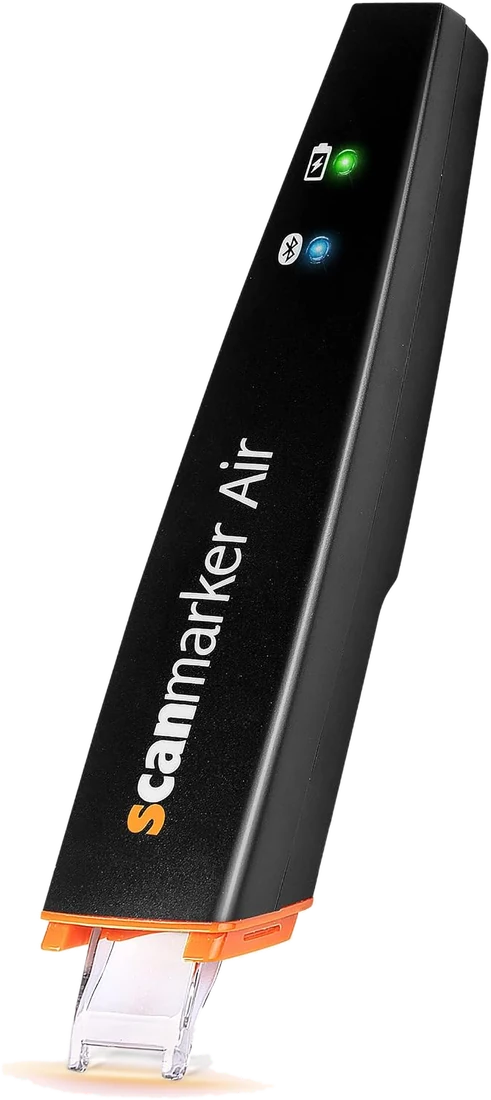
- Scanmarker Air is a connected pen that works through a paired laptop or phone, so it cannot read aloud or translate without that device.
- IRISPen Reader 8 is listed as fully offline, which is why it fits legal, HR and medical paperwork.
- Pen scanners capture lines and short passages of printed text. They are not a replacement for a document scanner when you need to digitize whole pages in bulk.
- Pilot two or three pens with real staff before ordering for everyone, and check IT policy first.
Match the tool to the role, not the company
Businesses rarely need one scanning device for everyone. An employee digitizing quotes into a laptop has different needs from a team handling confidential paperwork, or a field team that needs read-aloud and translation with no laptop at all.
Business scanning options, by deployment scenario
| Scenario | Recommended model | Why | Buy |
|---|---|---|---|
| Employee with own laptop | Scanmarker Air | Types scanned text into any app on the paired laptop or phone | See on Amazon |
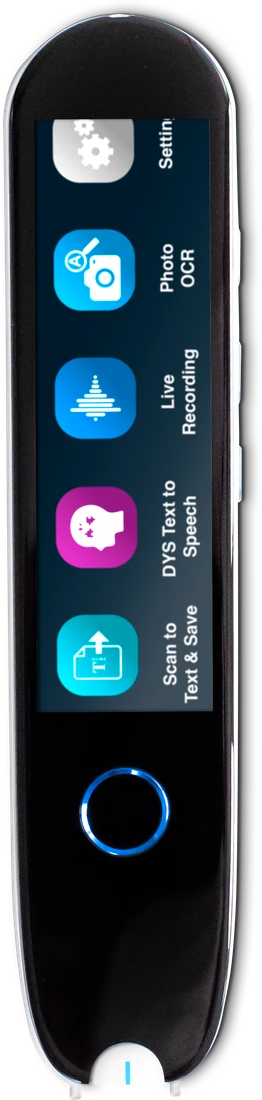
| Confidential or regulated documents | IRISPen Reader 8 | Fully offline: OCR runs on the pen, nothing goes to a cloud server | See on Amazon |
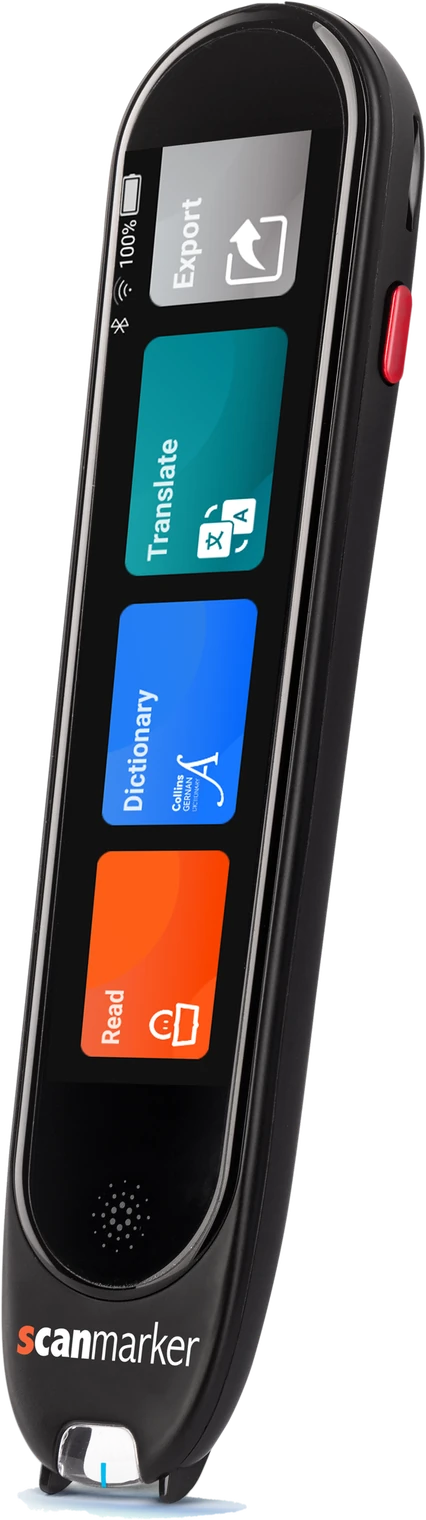
| Field work, travel, no laptop | Scanmarker Pro | Standalone touchscreen; reads aloud and translates 100+ languages online, reads aloud offline in several languages | See on Amazon |
| Front desk serving multilingual visitors | Scanmarker Max | Two-way voice translation and printed-text translation (100+ translation languages online) | See on Amazon |
IT policy decides more often than preference
If your IT department restricts new Bluetooth pairings, check whether Air's USB dongle is approved, or choose a standalone pen that never connects to company machines. If staff manage their own peripherals, Air is the easiest default.
Mixed fleets: which pens to combine
Most growing businesses end up with a small mixed fleet. A common pattern is several connected pens for office staff, one or two offline pens kept for confidential work, and one standalone touchscreen pen for anyone who travels or works away from a desk. This keeps the average cost per seat low while covering every role.
Other connected options exist if you want to compare alternatives to Air, such as the Penpower WorldPenScan Wi-Fi, which is app-required and lists 41-language OCR, and the C-Pen Connect, which sends scanned text to a phone or computer. For a standalone pen with a screen plus Bluetooth, look at the IRISPen Air 8. Each pen's page lists its connectivity, output and languages so you can check the fit.
Cost-per-seat thinking
Connected pens cost less than standalone touchscreen pens, so buy the connected Air for roles that only need text in a document, and reserve standalone models for roles that need offline reading, translation or no-laptop use. Check current Amazon prices before ordering several units.
How do price bands compare across a team?
On ScannerReader, Scanmarker Air sits in the $100 to $199 band, IRISPen Reader 8 also sits in $100 to $199, and Scanmarker Pro and Scanmarker Max sit in $200 to $399. Bands are list-price guides, and Amazon prices can differ, so confirm before you buy.
| Model | Price band | Works | Output | Best team role |
|---|---|---|---|---|
| Scanmarker Air | $100–199 | App-required | Streams text to your device | Office staff with laptops |
| IRISPen Reader 8 | $100–199 | Standalone | Speaker and jack | Confidential paperwork |
| Scanmarker Pro | $200–399 | Standalone | Speaker and jack | Field work and travel |
| Scanmarker Max | $200–399 | Standalone | Speaker and jack | Front desk and shared use |
Total cost also includes spare accessories, time spent on setup and the cost of replacing a lost or damaged pen. Pens are small and easy to misplace, so budget for a few spares in a larger team.
Questions to ask before a rollout
Do the people using it already have a laptop or tablet to pair with? Does IT restrict Bluetooth pairing? Are the documents confidential? Does anyone need read-aloud or translation, or is "get text into a document faster" the whole requirement?
A short checklist before you order
- List the roles that will use a pen, such as admin, research, front desk, field staff and HR.
- For each role, note whether they have a laptop or phone to pair with.
- Ask IT whether Bluetooth pairing and USB dongles are allowed on company machines.
- Decide which documents are confidential and must stay off the cloud.
- Check whether anyone needs read-aloud or translation, and in which languages.
- Choose a price band per role, then shortlist one pen for each.
- Order one or two units per role as a pilot before buying for the whole team.
How do you roll out scanning pens to a team?
Start with a small pilot, then expand. A pilot of one or two pens per role shows you which model fits each workflow before you commit the budget.
- Pick two or three volunteers per role who regularly handle printed material.
- Give each a pen and one real task, such as typing printed quotes into a document or capturing figures into a spreadsheet.
- Run the pilot for a couple of weeks and ask what saved time and what got in the way.
- Check results against your IT and privacy rules, then decide which models to buy in volume.
- Share a one-page how-to so new staff learn the same habits. Our guide to scanning into Google Docs and Word is a good starting point.
Pens are simple, but a short handover helps. Show new users how to hold the pen flat, scan in a steady line and place the cursor before they start. Our troubleshooting guide covers the common causes of recognition errors.
How do you keep business documents private?
Choose the pen by where the text is processed. A pen that runs OCR on the device keeps text off outside servers, while a connected pen sends text to the paired device and may use online features such as translation.
IRISPen Reader 8 is listed as fully offline, with no cloud, and saves scanned text on the pen for export. Connected pens such as Scanmarker Air work through an app on your laptop or phone. If your documents are legal, medical, HR or financial, ask your IT or compliance lead which tools are approved, and read the manufacturer's privacy information before rollout.
Practical habits help too. Keep a shared list of who holds which pen, clear saved scans from standalone pens when they are no longer needed, and use offline pens for anything you would not email to a stranger. This is general guidance, not legal advice, so check with your compliance or legal adviser for regulated data.
Where does a pen scanner fit in a business workflow?
A pen scanner fits best when staff need a line, a paragraph or a few figures from paper in a digital document. It is a quick capture tool, not a batch scanner.
| Task | Pen scanner | Phone camera or document scanner |
|---|---|---|
| Quote a clause or paragraph from a printed contract | Good fit: scan the line and it types into your document | Works, but you must crop and retype or run OCR on the image |
| Copy figures from a printed invoice into a spreadsheet | Good fit for a few lines | Better if the table is large or complex |
| Digitize a whole filing cabinet | Not suited | Use a document scanner or a scanning service |
| Capture handwriting | Not a good fit, these pens are built for printed text | Also unreliable for handwriting |
| Read a document aloud or translate it away from a desk | Standalone pens can do this on the device | Possible with apps, but needs a phone and often internet |
If you are weighing a pen against a phone, our guide on pen scanner versus phone goes through the trade-offs. For the technology behind the pens, see how pen scanning works.
Can scanning pens help employees with dyslexia or low vision?
Yes, standalone reading pens can help employees who find printed text hard to read, because they read lines aloud on the device. In many workplaces, this is handled as a workplace adjustment, so involve the employee and your HR or occupational health lead.
Pens such as Scanmarker Pro read aloud with a built-in speaker and headphone jack, which keeps shared offices quiet. For more on how reading pens support staff and students, see reading pens for higher education and workplace productivity and our guide to reading pens for low vision and seniors. Rules on accommodations vary by country and employer, so check what applies to you.
Common mistakes when buying scanning pens for a team
- Buying one premium model for everyone, when most staff only need text typed into a document.
- Skipping the IT check and discovering later that Bluetooth pairing or dongles are blocked.
- Choosing a connected pen for staff who will work with no laptop.
- Ignoring language needs: a large online language count does not help if the pen will be used offline.
- Expecting a pen to digitize whole pages or handwriting.
- Not running a pilot before a bulk order.
Who should choose which pen, and who should skip
- Choose Scanmarker Air if your staff have laptops or phones and mostly need text in documents. Skip it for anyone who needs reading aloud with no device.
- Choose IRISPen Reader 8 if documents must stay offline. Skip it if translation is a main need, since the product record lists translation-heavy use as a poor fit.
- Choose Scanmarker Pro for field staff and travel. Skip it if you need a pen for formal exams, where Scanmarker Max or another exam model is the match.
- Choose Scanmarker Max for shared front-desk or shared use where a PIN-protected lock mode is useful. Skip it if budget is tight.
Before you roll out
See every model side by side on the comparison page. For the single-employee case, see the scanning pen that speeds up your workday.
 Scanmarker AirConnected (Bluetooth)View details →
 IRISPen Reader 8Standalone touchscreenView details →
 Scanmarker ProStandalone touchscreenView details →
Frequently asked questions
What's the best scanning solution for a small office?
For most small offices, Scanmarker Air for staff who scan into their own laptops, plus one fully offline pen such as IRISPen Reader 8 for confidential paperwork.
Is there a scanning pen that keeps documents off the cloud?
Yes. IRISPen Reader 8 runs OCR and read-aloud entirely on the pen with no Wi-Fi, which suits legal, HR and medical paperwork.
Is there a scanning option that doesn't need a computer?
Yes. Standalone touchscreen pens such as Scanmarker Pro and Scanmarker Max read and translate on the device itself.
Should every employee get the same model?
Usually not. Matching the model to the workflow (connected vs. standalone, online vs. offline) costs less overall than giving everyone the most capable pen.
How many scanning pens should a small business buy?
Start with one or two pens per role as a pilot, not a bulk order. After a couple of weeks you will know which model fits each workflow. Most teams then settle on several connected pens for office staff plus a few offline or standalone pens for special roles.
Can a pen scanner replace a document scanner in an office?
No. A pen scanner captures lines and short passages of printed text into a document. A document scanner or scanning service is better for digitizing whole pages, files or archives in bulk. Many offices use both, each for the job it does best.
Do scanning pens work on locked-down company computers?
It depends on IT policy. A connected pen needs Bluetooth or a USB dongle, which some companies block. A standalone pen does not connect to company machines, so it avoids the issue. Ask your IT team before buying connected pens for a team.
Which scanning pen is best for confidential business documents?
IRISPen Reader 8 is the pick here because it is listed as fully offline, running OCR and read-aloud on the pen with no cloud. Always confirm with your IT or compliance lead that a device meets your rules for sensitive data.
Can scanning pens handle multiple languages for an international team?
Yes, with limits. Scanmarker Air lists 140+ languages through its app, and Scanmarker Max lists 100+ translation languages online. Offline coverage is smaller, so check which languages work without Wi-Fi if your team will not always be online.